
C:\ProgramData\ABBYY\FlexiCapture\12.0\Licenses のログ ファイルをコピーします。問題の説明を添えて、両方を ABBYY テクニカル サポートに送信してください。
RPC Service is not available エラー
このメッセージは、プログラムが Licensing Server に接続できない場合に表示されます。ファイアウォールでポート 3020 がブロックされておらず、他のアプリケーションが使用していないことを確認してください。Common Internet File System がこのポートを使用している場合があります。
別のアプリケーションがポート 3020 を使用している場合は、Licensing Server のポートを変更してください。
1
Licensing Server コンピューターで設定ファイルを開く
LicensingSettings.xml を開きます。既定では C:\Program Files (x86)\Common Files\ABBYY\FlexiCapture\12.0\Licensing にあります。2
ポートを変更する
EndPointName="3020" を見つけ、引用符内のポート番号を別のものに変更します。3
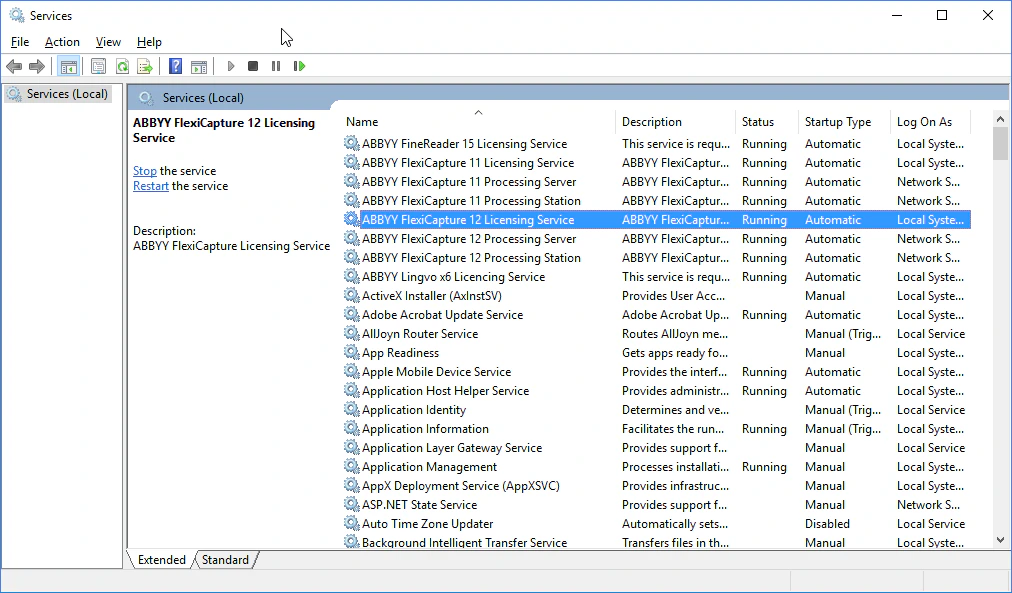
ABBYY FlexiCapture Licensing Service を再起動する
サービスを再起動すると、新しいポートが有効になります。
4
Licensing Server にアクセスするすべてのコンピューターを更新する
これには、Processing Server、Processing Stations、Verification Stations、Project Setup Station が含まれます。各コンピューターで
LicensingSettings.xml を開き、EndPointName を見つけて、選択したポートに設定します。