
Create a Public API client in ABBYY Vantage
A Public API client lets IBM watsonx Orchestrate authenticate to ABBYY Vantage over OAuth 2.0.1
Log in to ABBYY Vantage
Log in to your ABBYY Vantage environment.
2
Open Public API Clients
Go to Admin & Configuration and select Public API Clients.
3
Create a client
Create a new API client, and then record the generated Client ID and Client Secret.
4
Assign the Skill User role
Assign the Skill User role to the client.
5
Enable the client credentials flow
In the OAuth 2.0 Flows Settings, enable Allow client credentials flow.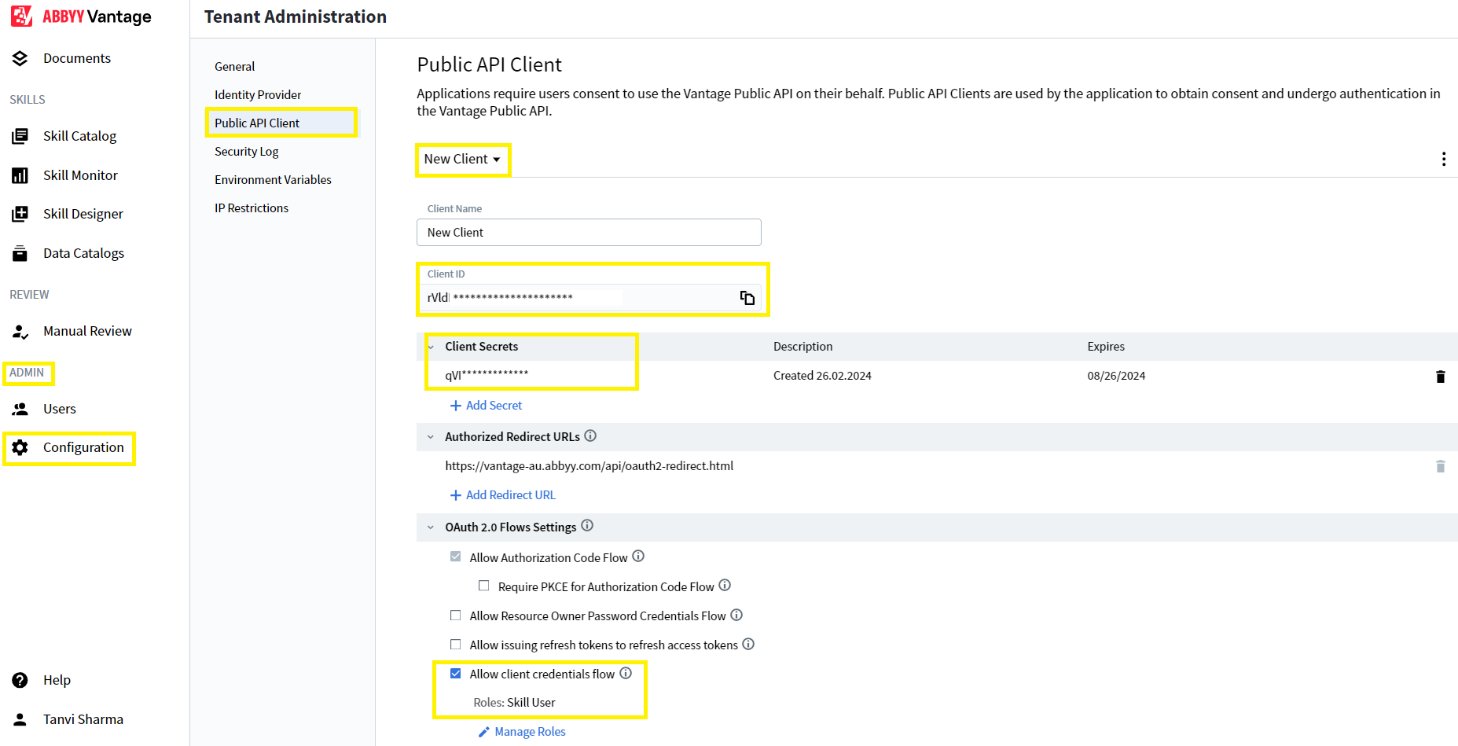
abbyy_vantage_oauth_abbyy_e073d849 connection in IBM watsonx Orchestrate.
For more information, see Configure a Public API client.
Create the KYC Document Skills
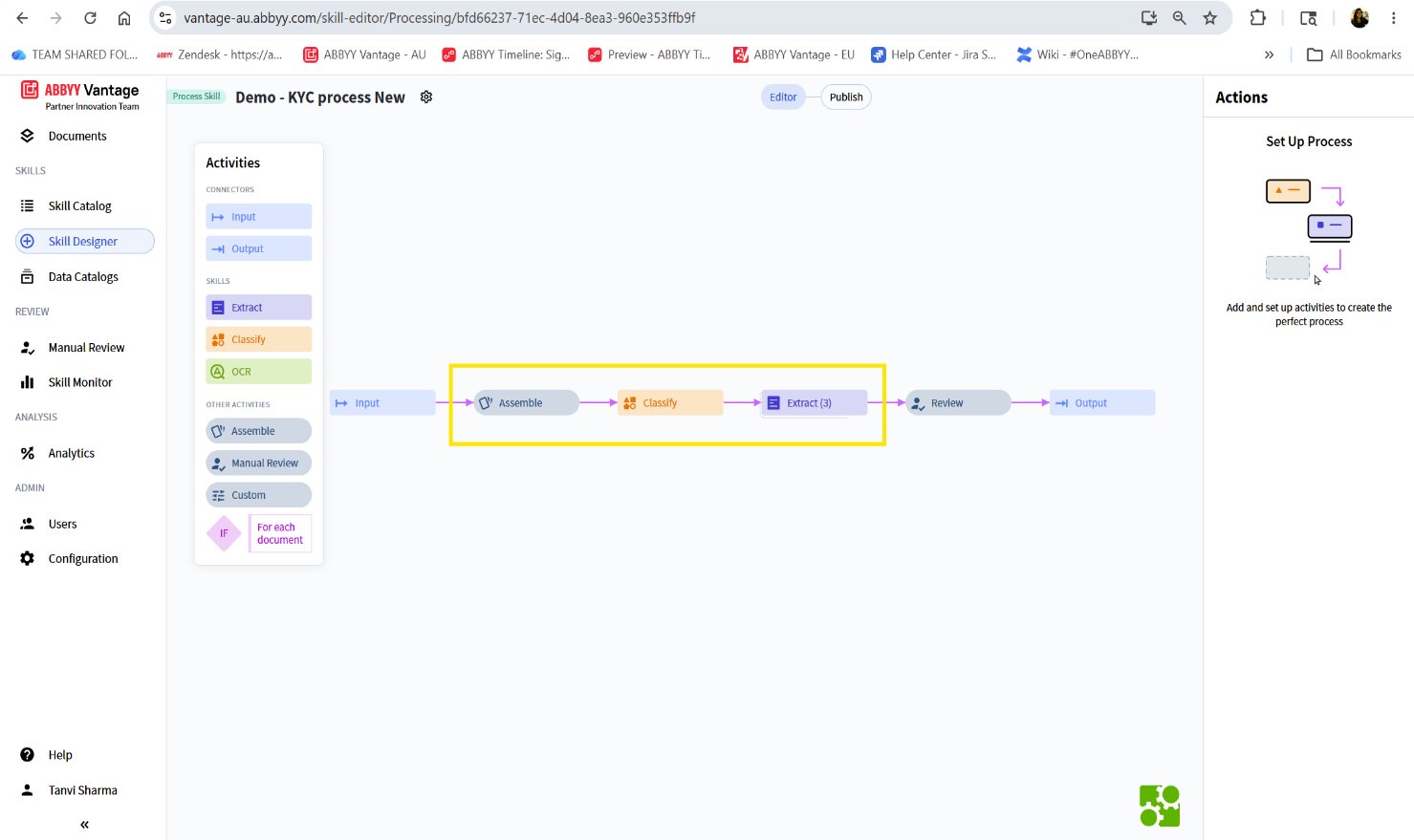
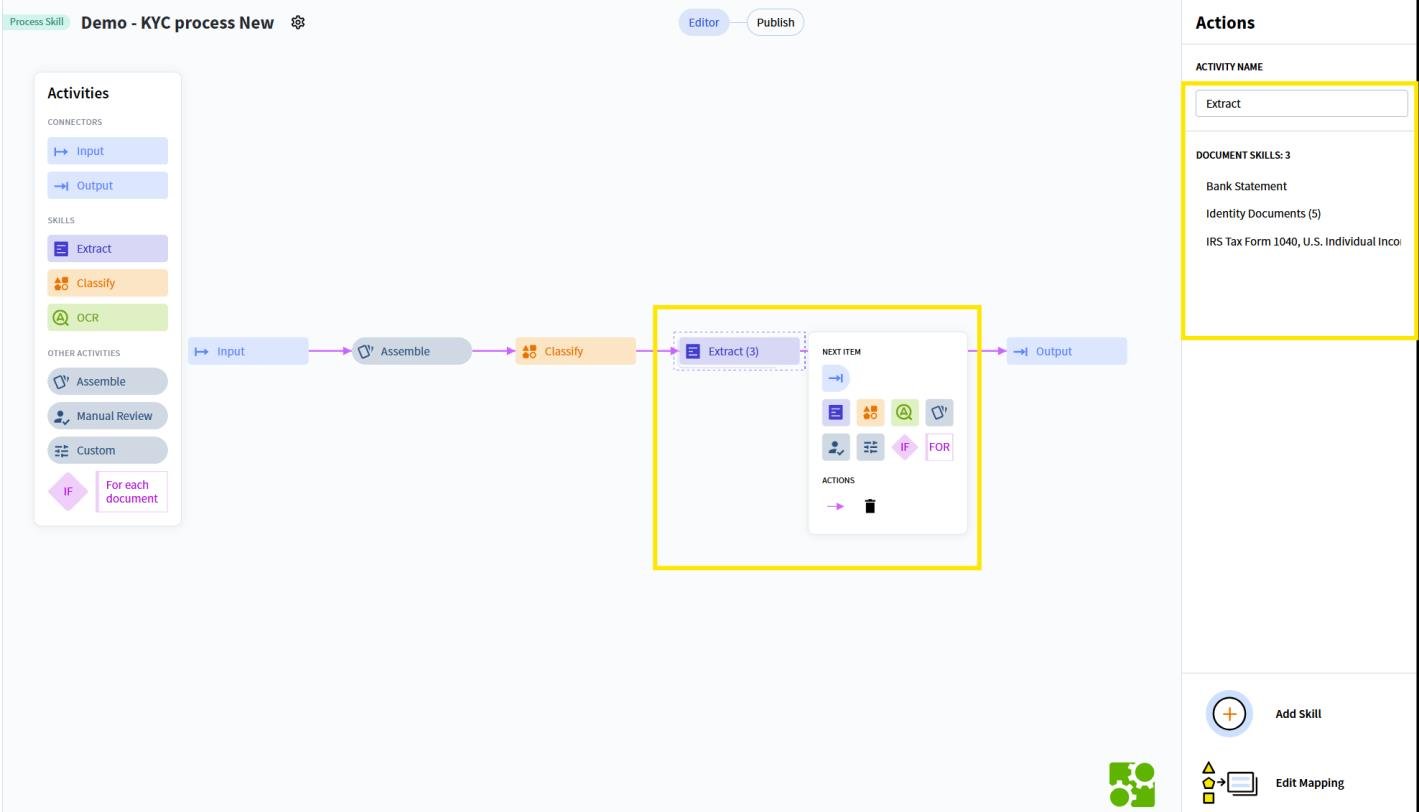
Create or import the Document Skills that the KYC workflow needs, such as:- Identity proof documents
- Bank statement
- Tax forms
Obtain the ABBYY Vantage Skill ID
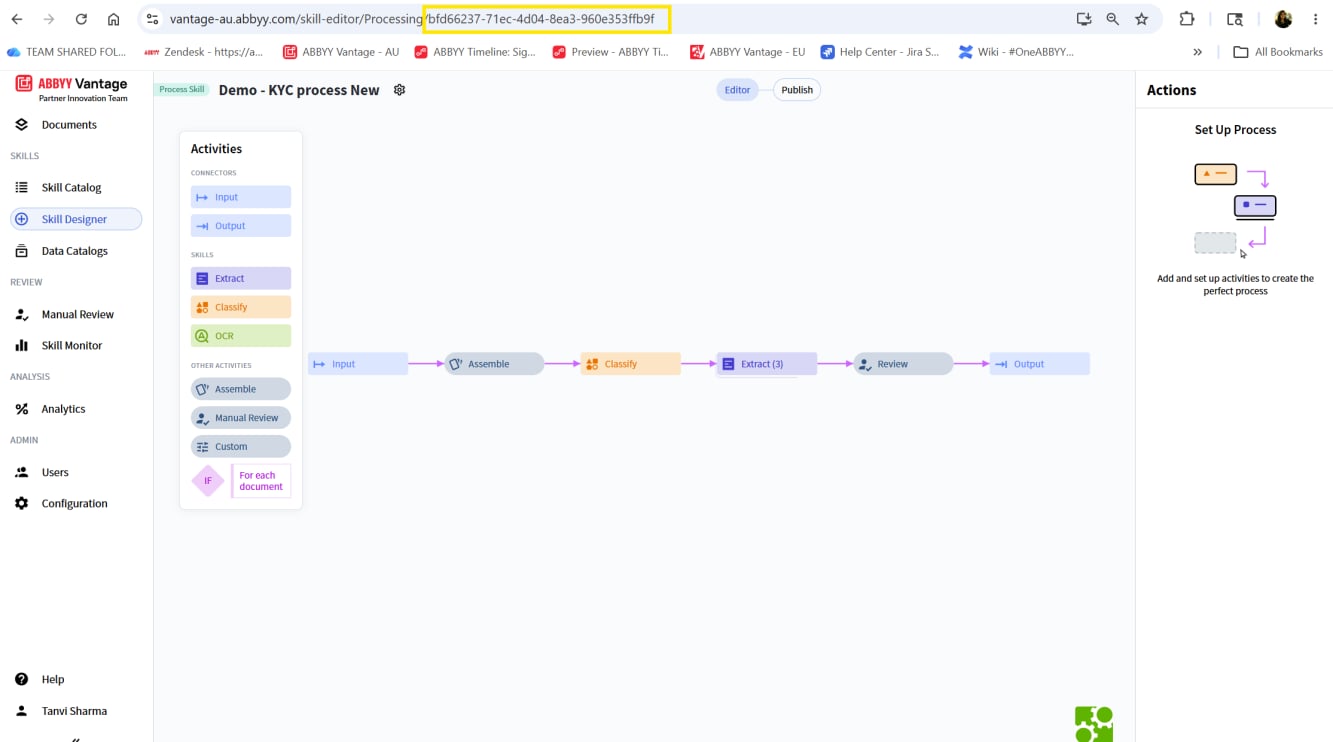
After you publish the Skill, get its Skill ID from the ABBYY Vantage URL. The Skill ID is the identifier at the end of the skill editor address.bfd66237-71ec-4d04-8ea3-960e353ffb9f.
Collect the ABBYY Vantage configuration values
Gather the following values from your ABBYY Vantage environment. You enter them into the IBM watsonx Orchestrate connections in the next step.Map the values to the IBM watsonx Orchestrate connections
Enter the collected values into the two IBM watsonx Orchestrate connections:abbyy_vantage_oauth_abbyy_e073d849– The ABBYY Vantage server URL, Client ID, Client Secret, and token endpoint.abbyy_key_value_abbyy_e073d849– Thevantage_skill_id. The remaining key-value entries come from ABBYY Timeline setup.