
Document types
Structured documents
Structured documents (also known as fixed forms) always carry the same fields in the same layout, or in a very small number of layouts. Examples: forms, questionnaires, surveys.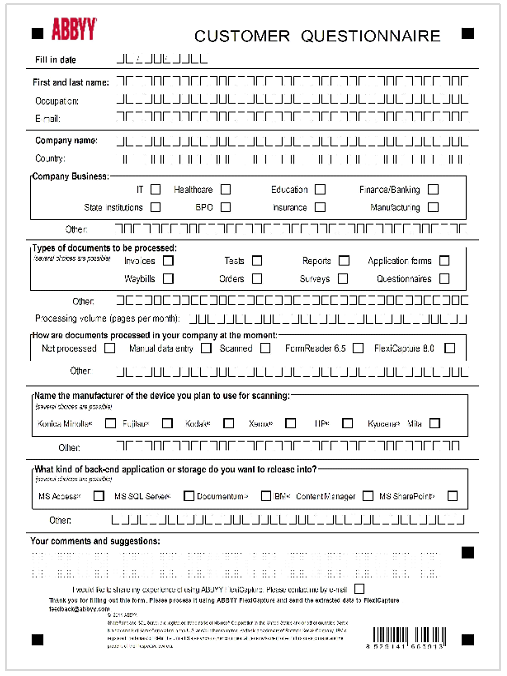
Semi-structured documents
Semi-structured documents carry similar information across documents, but field locations, sizes, and counts vary. Vantage uses spatial and logical relationships between elements to locate the data. Examples: invoices, payment orders, bills of lading.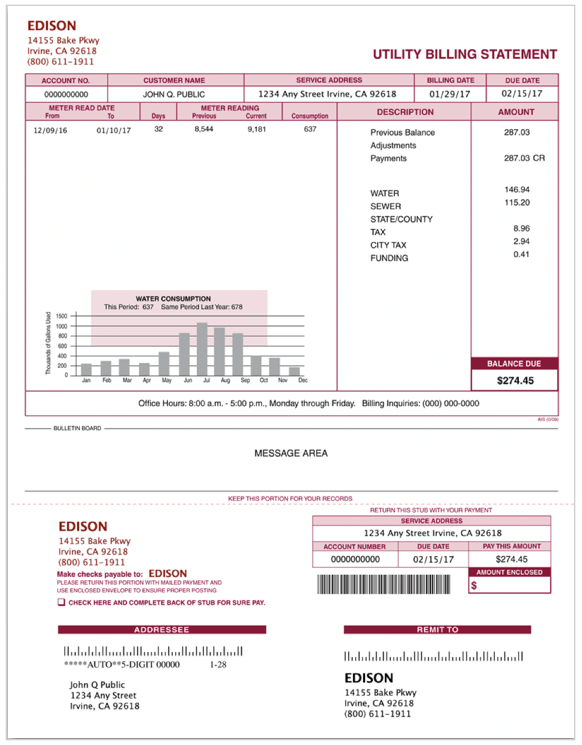
Unstructured documents
Unstructured documents are freeform text in paragraphs and sentences, where the fields you need may span pages. Examples: contracts, emails, research articles.
Mixed document sets
A mixed document set contains documents of different types — for example, semi-structured and unstructured together, or single documents that mix the two (paragraphs of plain text alternating with tables).Pick a scenario
Once you’ve identified your document type, follow the matching scenario.Process structured documents
Build skills for forms with fixed or limited layouts.
Process semi-structured documents
Build skills for invoices, bills of lading, and similar varying-layout documents.
Process unstructured documents
Build skills for contracts, emails, and other freeform text.
Process mixed sets
Handle document sets that combine multiple structure types.