
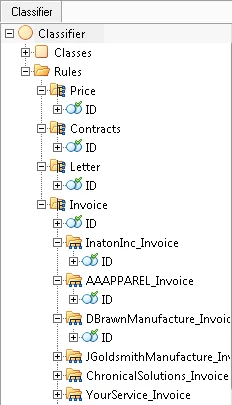
Classification tree structure
Each node in the tree corresponds to a classification stage. A node contains a group identifier element (named Id by default) and nested nodes. The nesting depth is not limited.Move and copy classification stages
You can rearrange stages directly in the tree using one of the following actions:- Move a stage by dragging and dropping it.
- Copy a stage by holding Ctrl while you drag and drop it.