
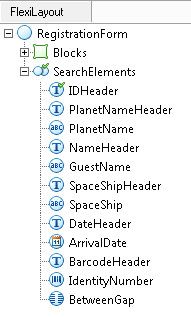
FlexiLayout tree branches
The tree has the following branches:- Blocks – Contains the blocks of the FlexiLayout.
- SearchElements – Contains the elements. A tree can contain several SearchElements branches, each corresponding to a layout alternative.
Move and copy elements and blocks
You can move and copy elements and blocks in the tree:- To move an element or block, drag it to a new location.
- To copy an element or block, hold Ctrl while dragging it.