
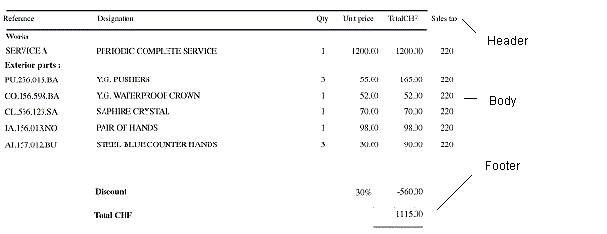
Create a FlexiLayout for a table
1
Create a Table block
Create a Table block and list the columns that the table may contain.
2
Create a Table element
Create a Table element and configure it:
- Select the Table block that corresponds to the Table element.
- Set the search constraints for each column of the table.
- Set the order of the columns in the table.
- Set the search constraints for the header of the table.
- Set the search constraints for the footer of the table.
- Specify how the table is divided into rows.
- Set the search area for the entire table.
- Set additional search constraints if required.