Cannot connect to 'AppServer' (error code: (HTTP 413, 19, 0)).
Raise the request size limit
1
Open IIS Manager
Click Control Panel → System and Security → Administrative Tools → Internet Information Services (IIS) Manager.
2
Open the filtering settings
Navigate to Sites → Default Web Site → FlexiCapture12 → Server → Request Filtering.
3
Edit the feature settings
On the Hidden Segments tab, click Edit Feature Settings.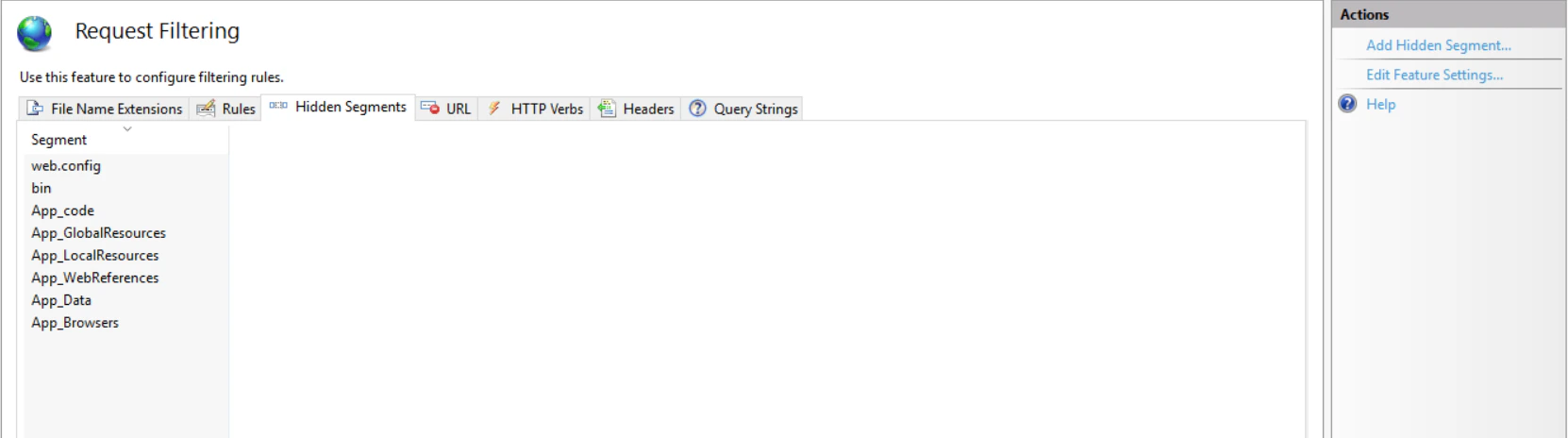
4
Set the new limit
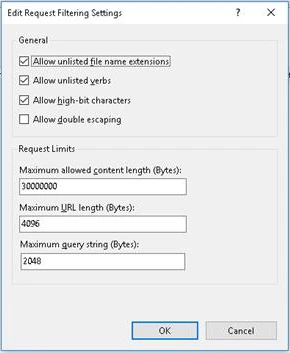
In the Edit Request Filtering Settings dialog box, enter a value in the Maximum allowed content length (Bytes) field, and then click OK.