
Invoice US.json).
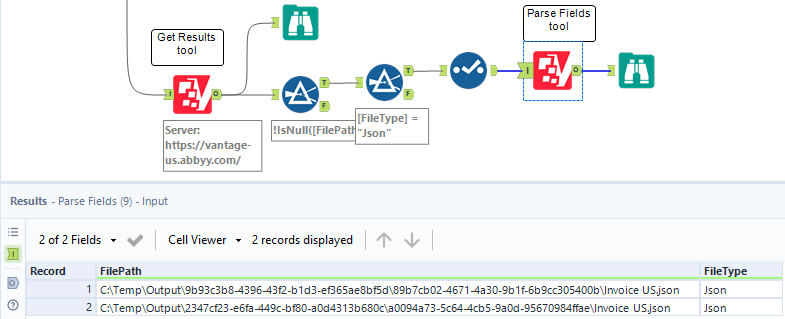
Pass the path to a FileType = Json result file in the FilePath input column. You can filter the output of the Get Result tool by FileType = Json to get the correct file paths.
For more information about JSON output file types and which skill types generate them, see JSON output.
Input anchor
Input example, showing the Parse Fields tool receiving filtered output from Get Result:
Output anchor
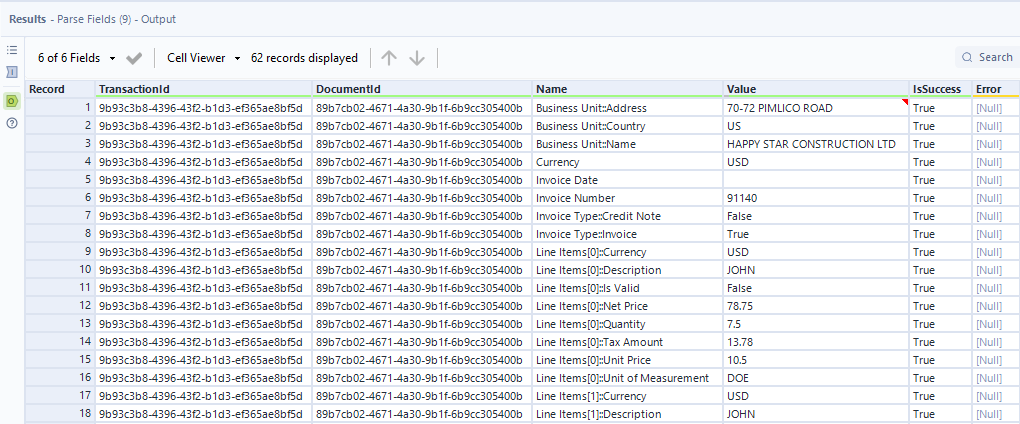
Output example:
Limitations
- Parse Fields will not return any fields if Values only JSON is enabled in the Process Skill output settings. Use only the full JSON file as input.
- Parse Fields will not return field values if the input JSON is from a Classification Skill. As a workaround, use the embedded Alteryx Parse JSON tool to extract classification data from the result JSON.