
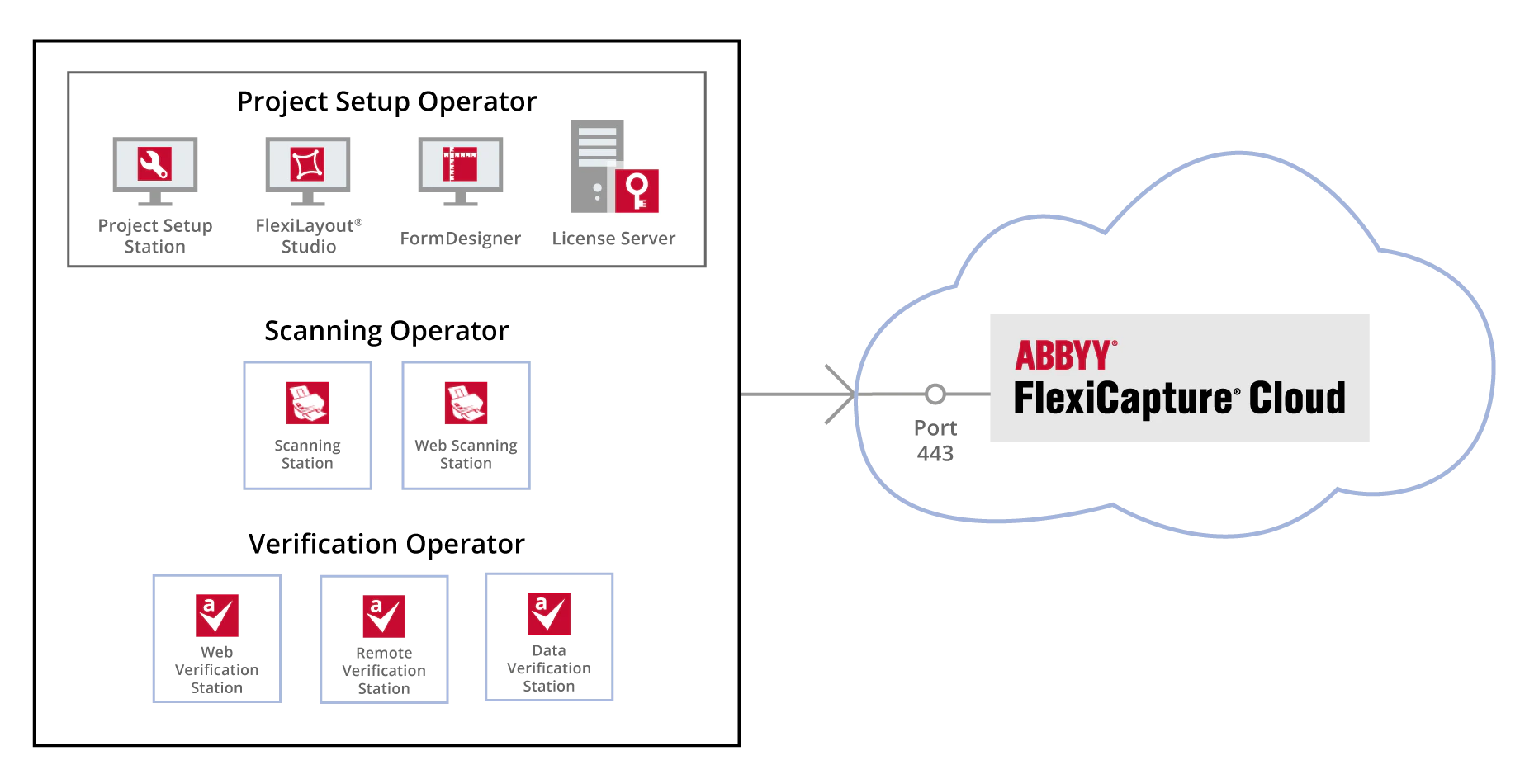
The availability and number of operator stations that can be used simultaneously are determined by your Cloud License (see ABBYY FlexiCapture Cloud Licensing).
Project Setup Operator’s Workplace
The Project Setup Operator uses the following components:- Project Setup Station (used for setting up and modifying data capture projects)
- ABBYY FlexiLayout Studio (used for creating formalized descriptions to capture data from semi-structured documents)
- ABBYY FormDesigner (used for creating machine-readable forms that can be easily processed by means of ABBYY FlexiCapture)
- Licensing Server (used for managing licenses)
Scanning Operator’s Workplace
A Scanning Operator scans documents using one of the following components:- Scanning Station (this is a locally installed component)
- Web Scanning Station (this component is accessible from a browser window)
Verification Operator’s Workplace
A Verification Operator verifies captured data using one of the following components:- Data Verification Station (a locally installed component that is used for simple data checks)
- Remote Verification Station (a locally installed component that is used for complex data checks)
- Web Verification Station (this component is accessible from a browser window and is used for complex data checks)