
web.config file.
Enable detailed errors in IIS Manager
1
Open the Error Pages settings
Launch IIS Manager, select your website in the treeview, and double-click the Error Pages icon on the site home page.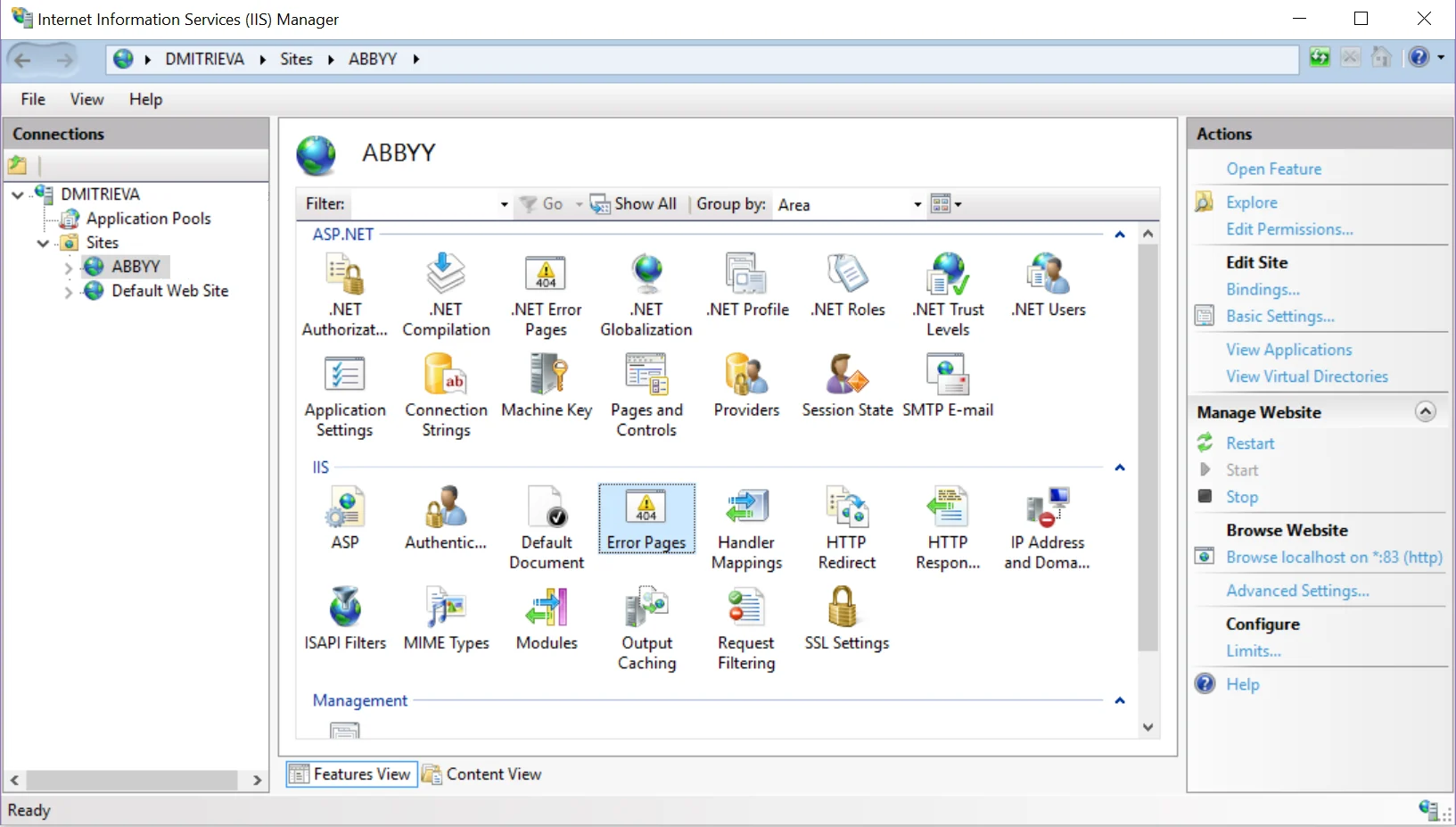
2
Turn on detailed errors
In the Actions pane, click Edit Feature Settings. In the Edit Error Pages Settings dialog box, select Detailed errors and click OK.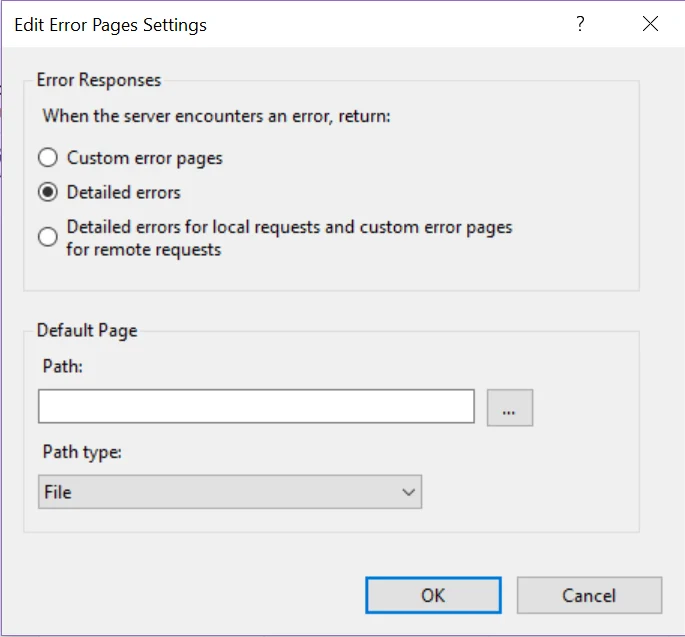
Enable detailed errors in web.config
Paste the following into yourweb.config file.