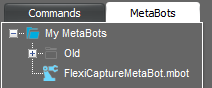
Automation Anywhere 用 ABBYY FlexiCapture Connector は、MetaBot ファイルとサンプルタスクを含む自己解凍型の RAR アーカイブとして配布されています。FlexiCapture MetaBot をインストールするには、FlexiCaptureMetaBot.mbot ファイルを次のフォルダーにコピーします: %Userprofile%\Documents\Automation Anywhere Files\Automation Anywhere\My MetaBots。FlexiCapture MetaBot は、Task Editor の利用可能な MetaBots の一覧に表示されます:
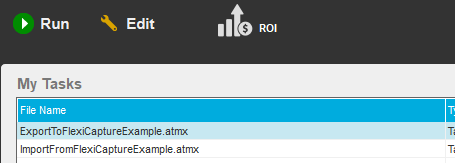
サンプルタスク をインストールするには、ExportToFlexiCaptureExample.atmx ファイルと ImportFromFlexiCaptureExample.atmx ファイルを次のフォルダーにコピーします: %Userprofile%\Documents\Automation Anywhere Files\Automation Anywhere\My Tasks。タスクは、Automation Anywhere Enterprise Client のメイン ウィンドウにある My Tasks の一覧に表示されます:
Automation Anywhere Client のインストール時に、ランタイム ファイル フォルダーを Program Data フォルダーに配置するよう選択した場合は、このガイド内のすべてのパスで %Userprofile%\Documents を %ProgramData% に置き換えてください。