
Tips for improving results
- Check whether the selected classification profile is appropriate.
- Adjust the recall/precision ratio.
- Check whether the reference classes are assigned correctly.
- Use more sample documents. Include as many document variants as possible: the larger and more varied the training batch, the more variants of each class the classifier detects.
Document Definition confidence
Document Definition sections mapped to document classes are matched against their document sections with a degree of confidence. The names of low-confidence sections are marked in red. If Automatically confirm section type when matched is enabled and the mapped section matches successfully, the section name is not highlighted. The class is then confirmed during Document Definition matching, even if it was initially determined with low confidence. The Automatically confirm section type when matched option is on the General tab of the Document Definition section properties. It speeds up manual verification, but select it only for sections that match documents the Document Definition was created for, such as a fixed Document Definition for a fixed section with identifiers, or a FlexiLayout section with required elements. Do not select it for Document Definitions that can match any document. When a Document Definition is matched to a page or document with low confidence, you can:- Click Confirm Document Definition on the shortcut menu of the page or document.
- Modify the low-confidence page, for example by changing the section type or moving the page to another document.
- Change the Document Definition selected for the page or document.
Detect errors in the training batch
Classification errors usually come from incorrectly assigned reference classes or too few sample pages. To investigate a misclassified page, right-click it and use one of the Show Similar Pages commands, also available on the Classification Training menu.
FlexiCapture searches all documents regardless of state (For Training, For Testing, or Unused) and lists similar pages from most to least similar.
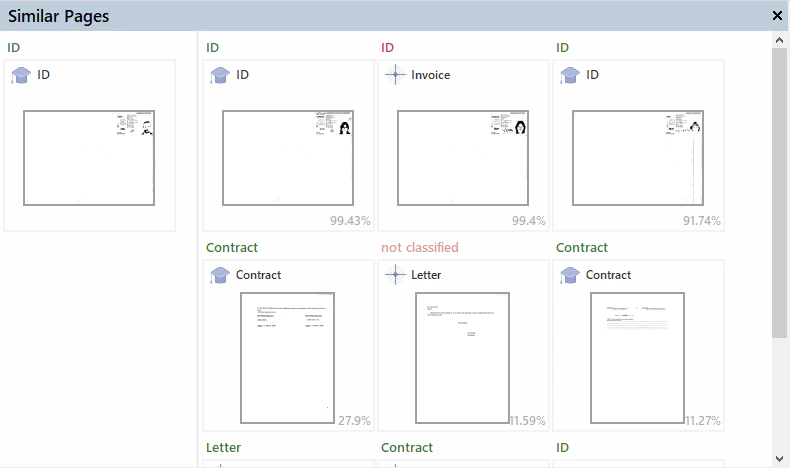
Example: correct a misclassified page
1
Spot the misclassified page
In the confusion matrix, find a page whose reference class is ID but whose result class is Invoice.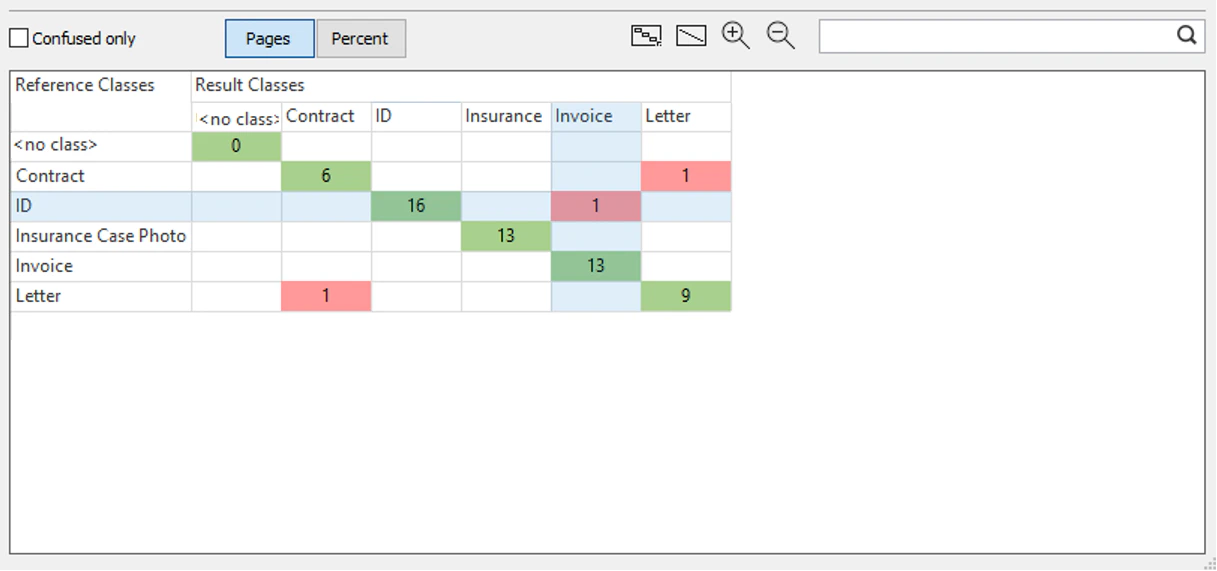
2
Open the page
Click the page’s cell in the confusion matrix.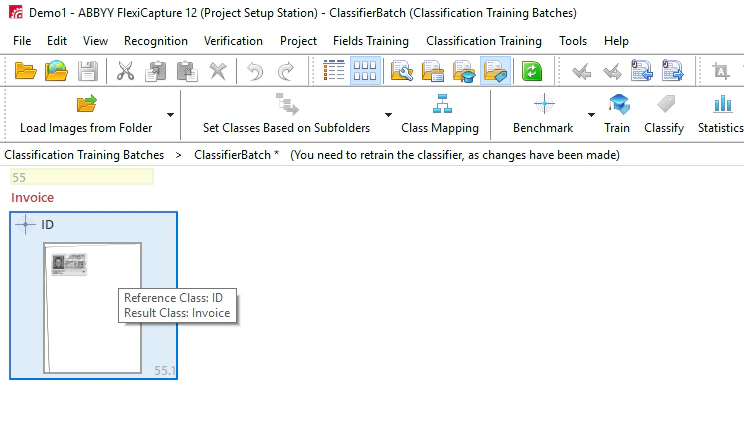
3
Show similar pages from the result class
Right-click the page and click Show Similar Pages from Result Class. FlexiCapture lists the pages that resemble the ID page but have Invoice as their reference class, from most to least similar.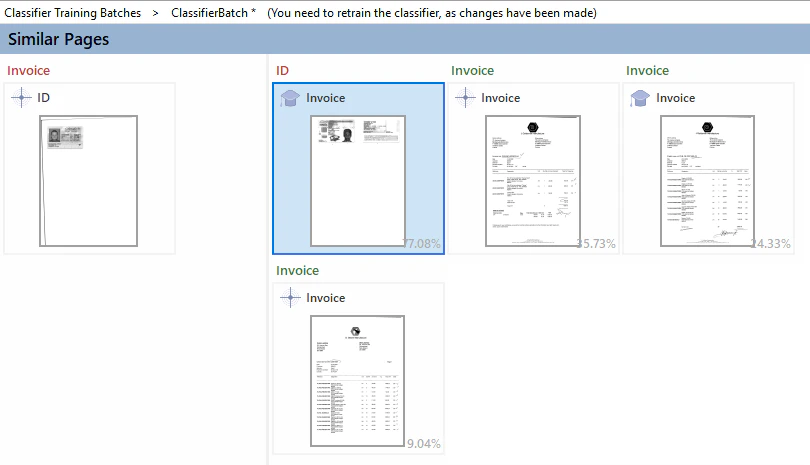
4
Fix the reference classes and retrain
Identify the pages with incorrectly assigned reference classes that caused the ID page to be classified as an invoice. Change the reference class where appropriate, and then retrain the classifier.