Why every static text variant must be listed
This is necessary for the following reasons:- To generate a hypothesis corresponding to the specified value. For example, if you do not specify the variant Invoice: but only the variant Invoice, the colon will not be included in the hypothesis for the field name. It may then be included in the search area of the invoice number, which is searched for to the right of the name. If the search for the number allows non-digit or non-specified characters, the colon may get into the hypothesis of the element that describes the invoice number.
- To avoid penalizing a hypothesis for characters not specified in the Search text window. For example, if the value Invoice: is specified in the Search text section and the name Invoice# is also encountered on the processed images, then, provided that some errors are permitted for the element, a hypothesis will still be generated but its quality will be penalized (in this example the FlexiLayout allows at least one error).
- If there are variant hypotheses available, for example, Invoice|Invoice:, FlexiLayout Studio will assign the longer hypothesis a slightly higher quality, so that the hypothesis Invoice: will be preferable. If a variant with a colon is specified, the one without a colon will be penalized by 0.001, because the string Invoice is a substring of Invoice:. Penalizing the shorter name string, which is a substring of the other, makes the longer hypothesis the winner.
The StaticText.fsp sample project
The sample projectStaticText.fsp (folder %public%\ABBYY\FlexiCapture\12.0\Samples\FLS\Tips and Tricks\Variants of StaticText) shows how specifying the values of a Static Text element helps to detect the name of the Invoice number field and the field itself.
The project has five pages, each showing a variant of the Invoice number field name.
Specify all name variants in the InvoiceHeader element
The Properties dialog box of the Static Text element named InvoiceHeader specifies all the possible names for the field that may be found on the processed documents, in this case the values listed earlier. Letter case in the names is irrelevant for search purposes: Invoice|Invoice:|Invoice#:|Invoice-.To speed up the search for the element, all the variants are written without spaces. The absence or presence of spaces does not influence the quality of a hypothesis.
Remove all values except Invoice and rematch
Now try temporarily removing all the static text values except the first (Invoice) from the InvoiceHeader element, and then try matching the FlexiLayout with all the pages again. You will see that the name and the invoice number have been successfully detected only on Page 1, because the name there fully matches the specified value (Invoice). On Pages 2-4, a part of the name got into the invoice number. On Page 5, there was an error in locating the number field.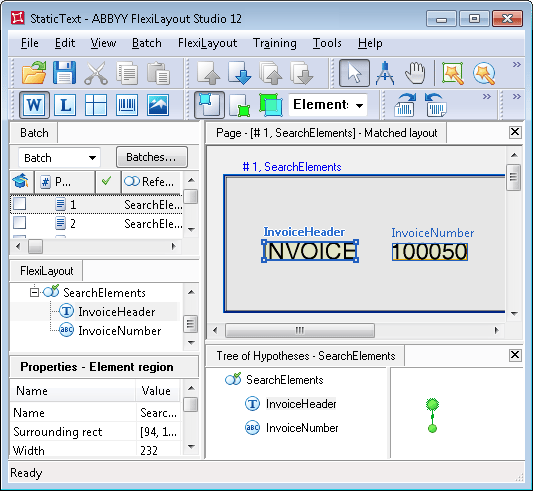
Restore the values and compare the Page 5 hypotheses
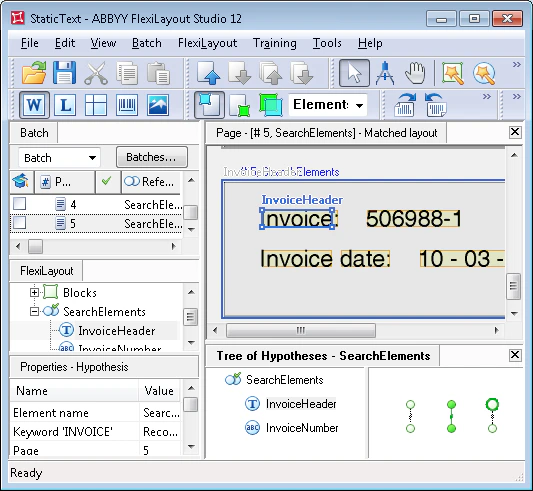
Now restore the removed values and look at the analysis results on Page 5, where the word Invoice occurs twice. As you can see, FlexiLayout Studio generated five hypotheses for the InvoiceHeader element. The highest quality (Chain quality = 1, which, in this case, is equal to the Pre-search quality) is assigned to the hypothesis for the name Invoice:. Hypotheses were also generated for the values Invoice and Invoice d, because these strings are derivatives of the values specified for the InvoiceHeader element, for which a certain percentage of errors is allowed. These hypotheses were penalized for the reasons described earlier on this page, so their final quality is lower.