How the dummy element signals that the constraints are met
This auxiliary element is created so that it can always detect something on the images, provided theDontFind() function (that is, “stop the search”) is not activated. The number of hypotheses should not be too large, to avoid overextending the tree of hypotheses and increasing the FlexiLayout matching time.
To achieve this, you can use, for instance, elements of the Object Collection or Paragraph types. These elements always generate a single hypothesis that includes all the objects of the specified type from the search area.
The Advanced pre-search relations section of the dummy element contains the set of conditions to check for some of the elements located below the dummy element in the project tree. If all the conditions are met, the DontFind() function is called for the dummy element.
In this case, a null hypothesis will be generated for the dummy element, and it will serve as a marker that all the conditions have been met when FlexiLayout Studio starts searching for other elements. This tells it to run only the IsNull check of the dummy element instead of checking the same bulky constraints for several elements.
This method helps to make the code more descriptive. Additionally, if you need to edit the constraints, you can do this only in the description of the dummy element. It lowers the chances of logical and syntactical errors when duplicating the code.
Future versions of the product are planned to support the creation of variables in the area of subelements of groups. The results of checking the constraints will then be stored in the values of different variables.The current method is a temporary solution (workaround) that helps to simplify the code in the Advanced sections in the present version of FlexiLayout Studio.
The two invoice layouts in the sample project
The project1.fsp (folder %public%\ABBYY\FlexiCapture\12.0\Samples\FLS\Tips and Tricks\Auxiliary element) shows how this method works.
On these images, the goal is to find the following fields: “Invoice number”, “Invoice date”, “Company name”, and “Company address”.
Assume that invoices of two different types have to be processed:
- The fields “Company name” and “Company address” are above the field “Invoice number”.
- The fields “Company name” and “Company address” are below the field “Invoice number”.
Search for the date field with two sets of constraints
The project contains a Group element InvoiceGroup with the elements InvoiceHeader, InvoiceNum, and DateHeader, and a Group element DateGroup. These subelements are required to detect field names and the fields “Invoice number” and “Invoice date”.For more information on the methods of date search, see Date search after high or low-quality recognition. This section only describes the constraints for the date search in the current project.
if not DateHeader.IsNull is checked), then the search will be performed relative to the name of the date field: to the right of the name, on the same horizontal level, with some margin of error for vertical displacement:
For the sake of simplicity, assume that the images are of good quality and the field “Invoice number” and its name are always detected.In a real-life situation, before calling the properties of these elements, you must run their
IsNull check, because if the elements are not detected, further search will be performed relative to the search areas of the corresponding elements.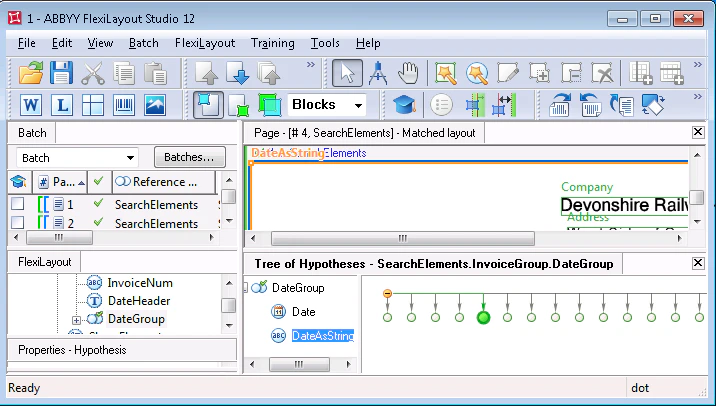
Penalize date hypotheses far from the invoice fields
The Advanced post-search relations section of the Date element contains the following code:For more information on the use of these functions, see Search for elements with Nearest and FuzzyQuality.
Search constraints for the DateAsString element
Identical search constraints are specified for the DateAsString element, but its Advanced post-search relations section adds one more line to the code shown earlier:RestrictSearchArea (Date.Rect);.
This tells FlexiLayout Studio to search for the object of the DateAsString element in the area of the fuzzy rectangle of the Date element. The search area of the Date element can be represented as an array of rectangles.
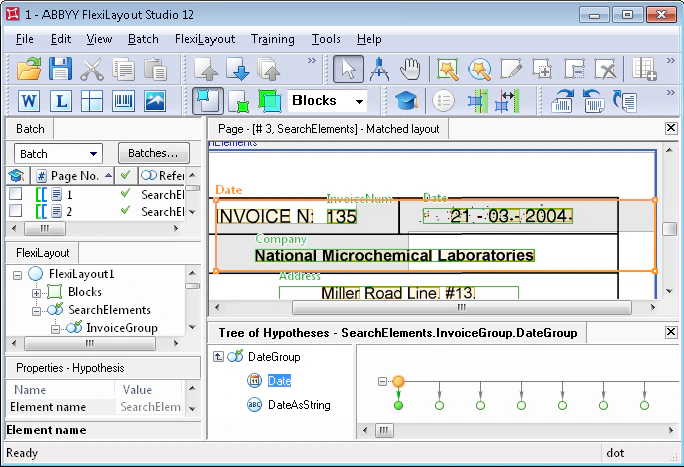
When a null hypothesis is generated for the Date element, the rectangle enclosing the search area is taken as a rectangle (Rect) of the current element. As you can see in the following image, it also encloses the field “Invoice number” described by the InvoiceNum element.
Under some conditions (for instance, when the date field is very noisy), a situation may occur when, instead of the date field, the DateAsString element will detect the field of the invoice number, as characters (including digits) specified for this element do not have any format restrictions.
Check the field arrangement with the ShamElement auxiliary element
After the elements required to search for the fields “Invoice number” and “Invoice date” have been described, the next step is the search for the fields “Company name” and “Company address”. The project uses a Paragraph element named ShamElement. This element serves as an auxiliary element and is used exclusively to check the mutual location of the fields “Invoice number” and “Invoice date”. The Advanced pre-search relations section of the auxiliary element contains the following code: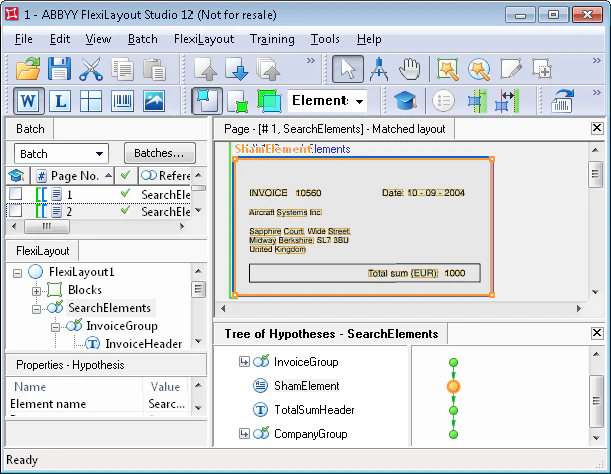
Search for the company name relative to the invoice fields
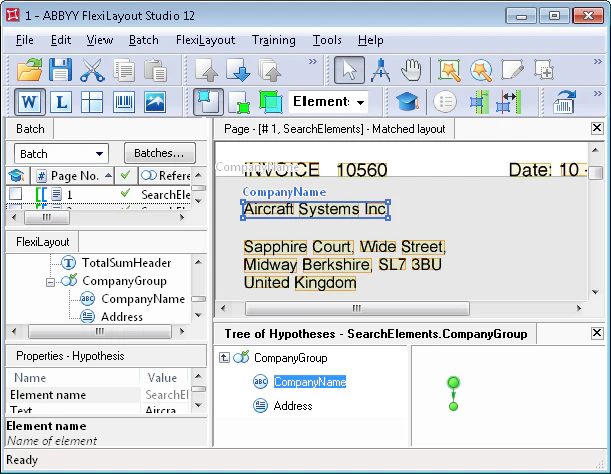
To detect the company details, the project uses a Group element CompanyGroup. It groups the CompanyName element of type Character String (the company name on test images is written in a single line) and the Address element of type Paragraph. The latter element is used to search for the block containing the company address. The use of the auxiliary element helps to simplify the code which describes the search constraints of the element in the Advanced pre-search relations section. If the auxiliary element is not detected (that is, a null hypothesis is generated for it), this means that the date field is located to the right of the invoice field. In this case, the field “Company name” will be looked for below the field “Invoice number”. If the auxiliary element is detected, the field “Company name” will be looked for above the field “Invoice number”.In this case, the
Nearest function can be used, as it helps to detect the field containing the company name unambiguously and accurately (there are no objects matching the same search constraints).Above: InvoiceGroup.InvoiceHeader; and Above: InvoiceGroup.InvoiceNum; are met not only by the string with the company name, but also by the strings in the address field.