
- symbol to be substituted for the fractional part; that is, it interprets 12.- as 12.00.
The integer part of the number can be divided into digit groups. The default separators of the digit groups are ., ,, ', and a space.
The number can have a prefix or a suffix (a text element preceding or following the number). The prefix must be located on the same line as the number. This format is typical for sums of money, where prefixes are the names of currencies.
Currency elements are marked with  in the FlexiLayout tree.
Currency element properties
The properties of a Currency element are specified on the Currency tab of the Properties dialog box. To open the Properties dialog box, right-click the element in the FlexiLayout tree and select Properties… on the shortcut menu.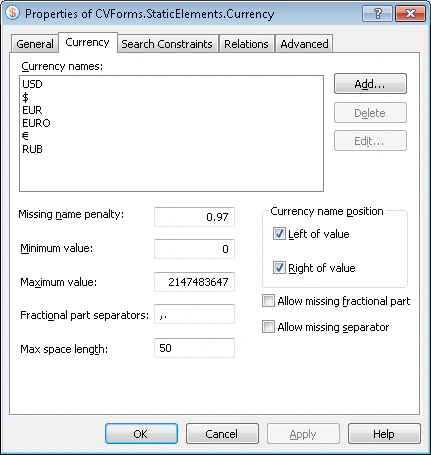
Manage currency names
The Currency names list holds the possible names for the currency. Use one of the following actions:- To add a name, click Add… and enter the currency name in the Add Currency Name dialog box.
- To edit a name, click Edit… and update the currency name in the Edit Currency Name dialog box.
- To delete a name, select it in the list and click Delete.