
Paragraph is an element that describes a paragraph. When searching for the paragraph, the program considers all text objects wholly or partially contained within the search area. A Paragraph element is marked with Paragraph element icon in the tree of elements. This element is used to search for text paragraphs whose text is unknown. The program considers the Recognized Words and Recognized Lines objects detected by pre-recognition that fall within the element’s search area.

Paragraph element properties

Specify the properties of a Paragraph element on the Paragraph tab of the element’s Properties dialog box. To open the element’s Properties dialog box, in the FlexiLayout window, right-click the element and select Properties… on the shortcut menu.
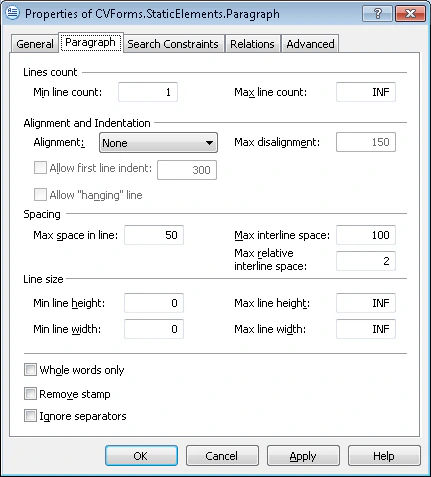
Screenshot of the Paragraph tab of the Paragraph element's Properties dialog box in ABBYY FlexiLayout Studio.
The following table describes the properties on the Paragraph tab. The Remove stamp option is covered in its own section.

Remove stamp

When recognizing payment documents, stamps placed over text can pose a problem. Typically, a stamp is placed in the bottom right corner of the text. The text fragment with a superimposed stamp is practically illegible and is recognized by the program as bits of phrases that make no sense. To avoid this, do not include the stamped text fragment in the block and key in the text manually from the image. This way, you will not have to remove the incorrectly recognized text. If Remove stamp is enabled, the program analyzes the bottom right corner of the search area and removes any bits of text that may have been caused by a superimposed stamp.