
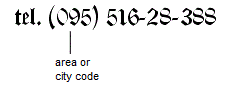
Tel. or Phone and an area or city code in brackets, as shown in the following figure. The prefix and the telephone number must be typed on the same line.
 icon in the FlexiLayout tree.
Phone element properties
Click the Phone tab in the Properties dialog box to describe a Phone element. To open the Properties dialog box, right-click the element in the FlexiLayout tree and select Properties… on the shortcut menu.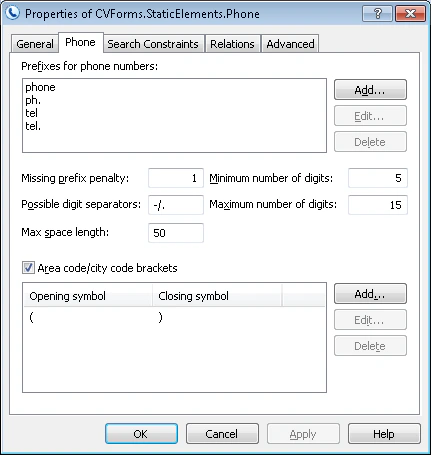
Manage phone number prefixes
Manage the Prefixes for phone numbers list in one of the following ways:- To add a prefix, click Add… and type the new prefix in the Add Phone Prefix dialog box.
- To edit a prefix, click Edit… and make the changes in the Edit Phone Prefix dialog box.
- To delete a prefix, select it in the list and click Delete.
Manage area and city code brackets
Manage the Area code/city code brackets list in one of the following ways:- To add brackets, click Add… and, in the Add Phone Code Brackets dialog box, type the opening bracket in the Opening symbol field and the closing bracket in the Closing symbol field.
- To edit brackets, click Edit… and change the Opening symbol and Closing symbol fields in the Edit Phone Code Brackets dialog box.
- To delete brackets, select them in the list and click Delete.