
- Verification Station (local or remote)
- Data Verification Station (local or remote)
- Project Setup Station (local)
- Web Verification Station
- Web Capture Station
Set timeouts on local and remote stations
A session becomes inactive when the operator has performed no actions for a set period. The Processing Server polls the Application Server every 60 minutes and deletes timed out sessions. If a timed out session holds an open task, that task returns to the general queue and the operator’s changes are lost. Each station can set a timeout locally, and the default is 15 minutes. To change it, modify the following registry key.1
Open IIS Manager
Click Control Panel → System and Security → Administrative Tools → Internet Information Services (IIS) Manager.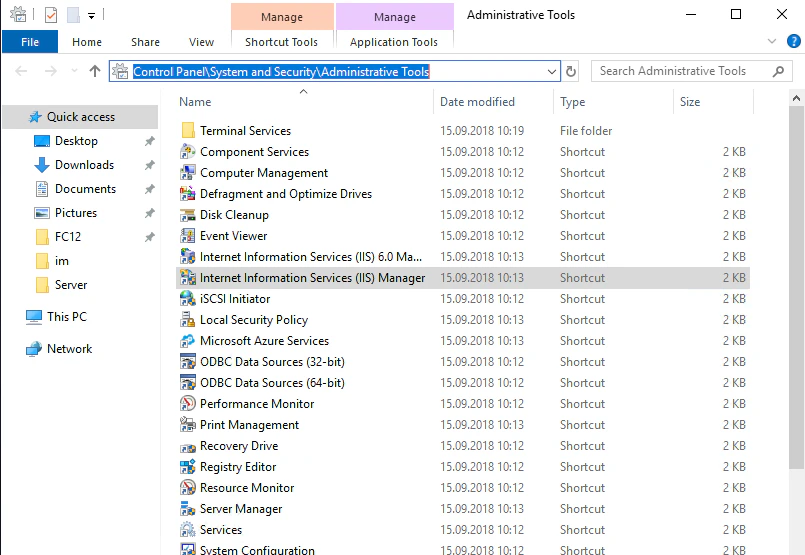
2
Open the Application Settings for the server
In IIS Manager, click Sites → Default Web Site → FlexiCapture12 → Server → Application Settings.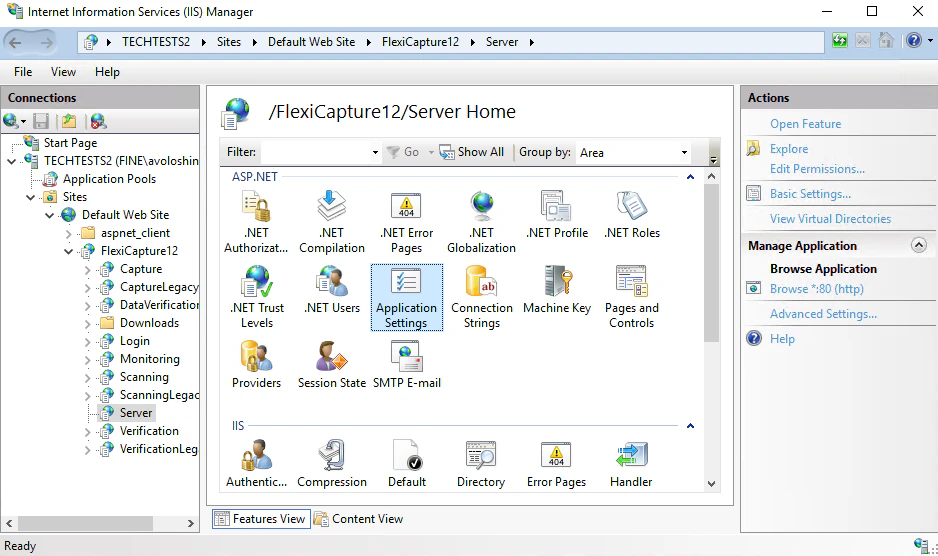
3
Set the timeout in minutes
Enter a value in minutes in the 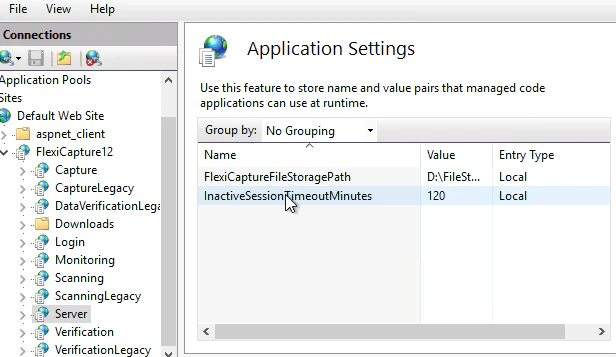
InactiveSessionTimeoutMinutes parameter. The default is 0. If the parameter is missing in IIS Manager, add it and then specify a value.web.config file on the Application Server. Its default location is C:\inetpub\wwwroot\FlexiCapture12\Server\web.config, and any text editor can open it.
Set timeouts on web stations
On a web station, the countdown begins once the operator has performed no actions in the station’s browser window for a set period. The default is 120 minutes. The Processing Server polls the Application Server every 60 seconds and deletes timed out inactive sessions. You can change that polling period.A web station timeout applies only to the Web Verification Station and the Web Capture Station.
1
Open IIS Manager
Click Control Panel → System and Security → Administrative Tools → Internet Information Services (IIS) Manager.
2
Open the Application Settings for the Verification application
In IIS Manager, click Sites → Default Web Site → FlexiCapture12 → Verification → Application Settings.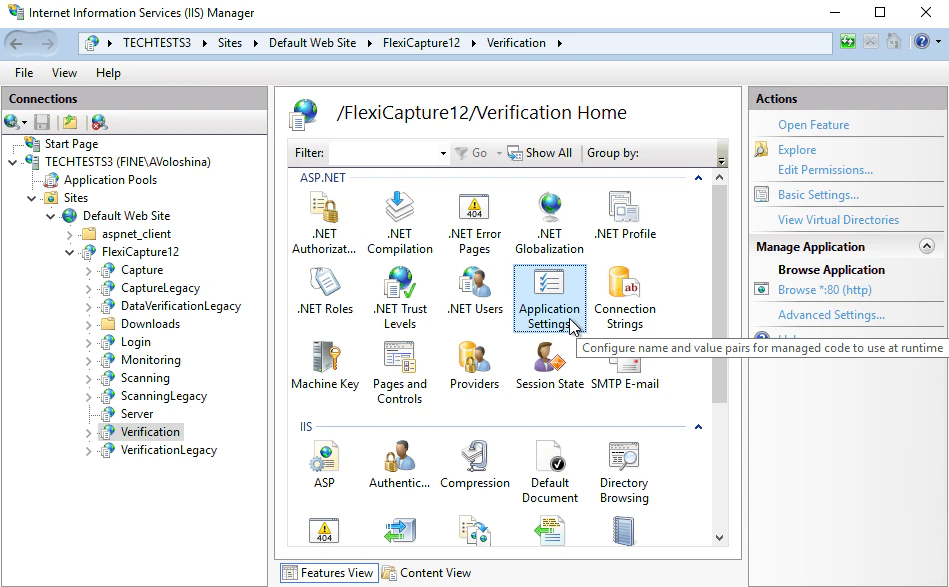
3
Modify the two session parameters
If either parameter is missing in IIS Manager, add it and then specify a value.
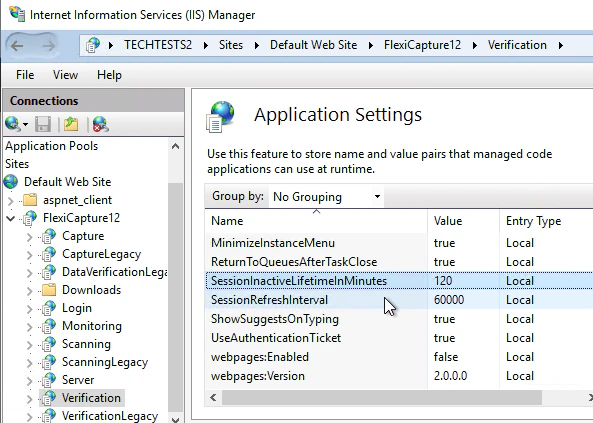
web.config file, by default at C:\inetpub\wwwroot\FlexiCapture12\Verification\Web.config. Any text editor can open it.
After a web station times out, the user of that web station will be redirected to the login page.
If an inactive session holds an open task, that task returns to the general queue. The Application Server saves every change the operator made, even if they never clicked Save.
The next operator to pick the task up can accept or reject those changes.