unattended processing の設定
このスキーマを使用すると、オペレーターの関与なしに文書を処理できます。 Schema ドロップダウンリストから Unattended を選択し、OK をクリックします。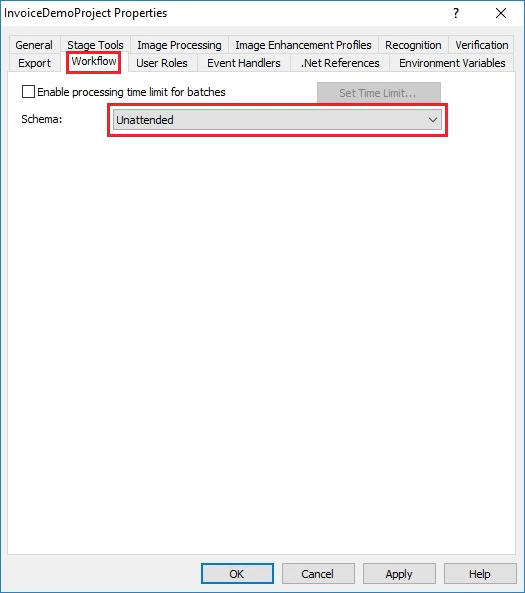
検証を伴う処理の構成
エクスポート前に認識結果を検証する必要がある場合は、このスキーマを使用します。1
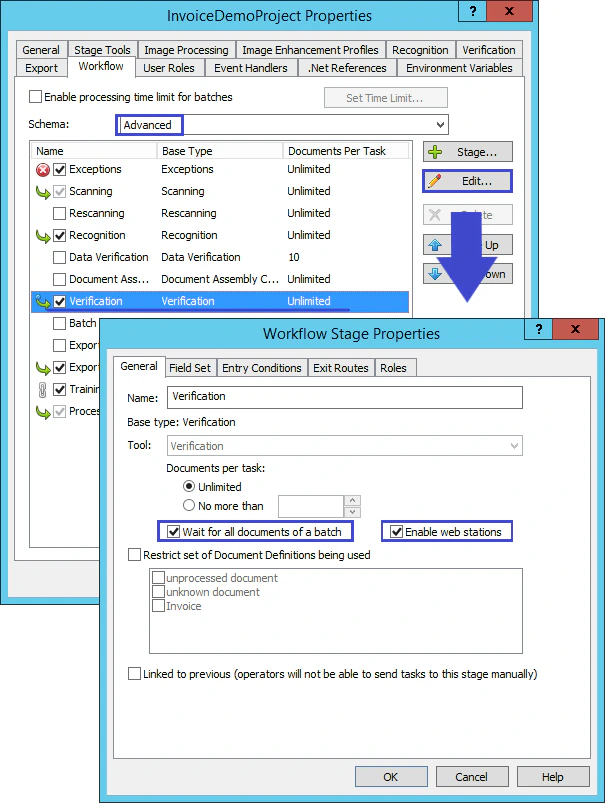
Advanced スキーマを選択
Schema ドロップダウンリストから Advanced を選択します。
2
Verification ステージを編集
Verification を選択してから、Edit をクリックします。
3
ステージのプロパティを設定
Workflow Stage Properties ダイアログで、Wait for all documents of a batch と Enable web stations を選択してから、OK をクリックします。