
1
Open the FlexiLayout tab
In the FlexiLayout Studio main window, click the FlexiLayout tab.
2
Add a Text block
Select Blocks in the FlexiLayout tree, and then select Add Blocks → Text in the FlexiLayout menu or New → Text on the shortcut menu.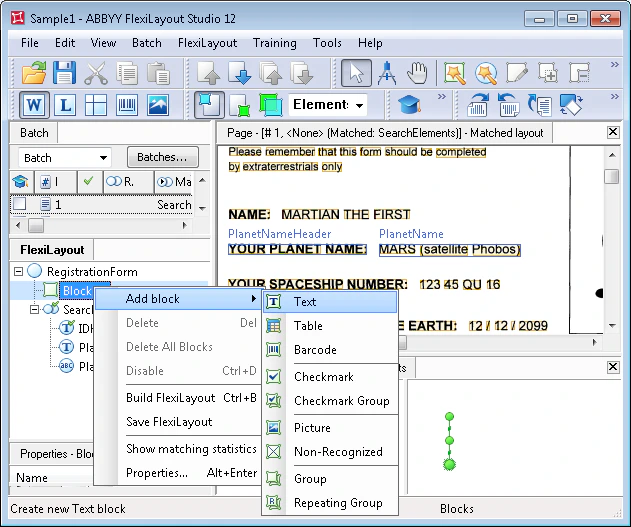
3
Name the block
In the Properties dialog box, type a name in the Name field, for example PlanetName.
4
Set the source element
Select Source element to describe the block’s location. Click  and specify the PlanetName element as the source element.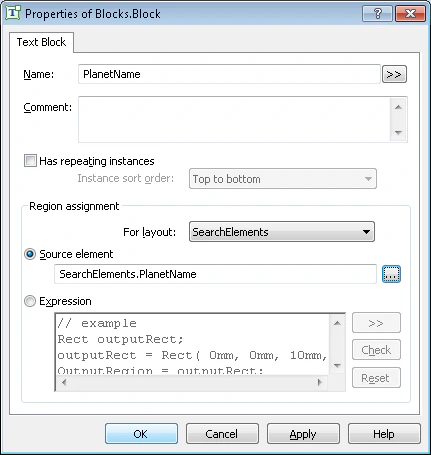
and specify the PlanetName element as the source element.