
Do not use the separators that appear on some images. They are not consistent or reliable elements. For more information, see Step 6.
Search below the IdentityNumber element
1
Create the TextField element
Create a Paragraph element named TextField for the ANY TEXT field.
2
Relate it to the IdentityNumber element
On the Relations tab, set the TextField element’s location to Below the IdentityNumber element.
Refine the search with a White Gap element
Add a horizontal White Gap element for the gap between the text and the barcode, and use it as the reference element for the ANY TEXT field.1
Create the BetweenGap element
Create a White Gap element named BetweenGap. Place it above the TextField element in the tree of elements.On the White Gap tab, set the orientation of BetweenGap to Horizontal.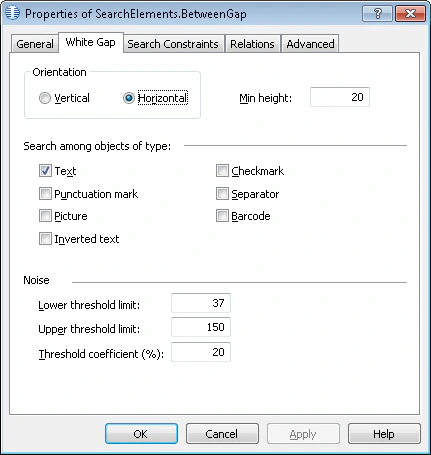
2
Set the search area for BetweenGap
On the Relations tab, set the search area to the region below the IdentityNumber element, no farther than 200 dots from the bottom boundary of the BarcodeHeader element.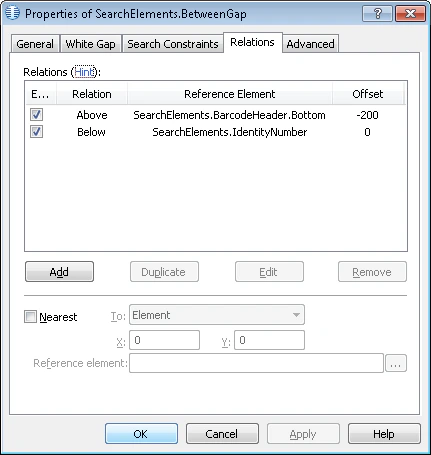
3
Point the TextField element at the gap
On the Relations tab, set the TextField element’s location to Below the BetweenGap element, with Offset = 0.