Open a batch image
Double-click the first page’s line in the Batch window. The image appears in the Image window in Matched Layout mode.
View the pre-recognition results
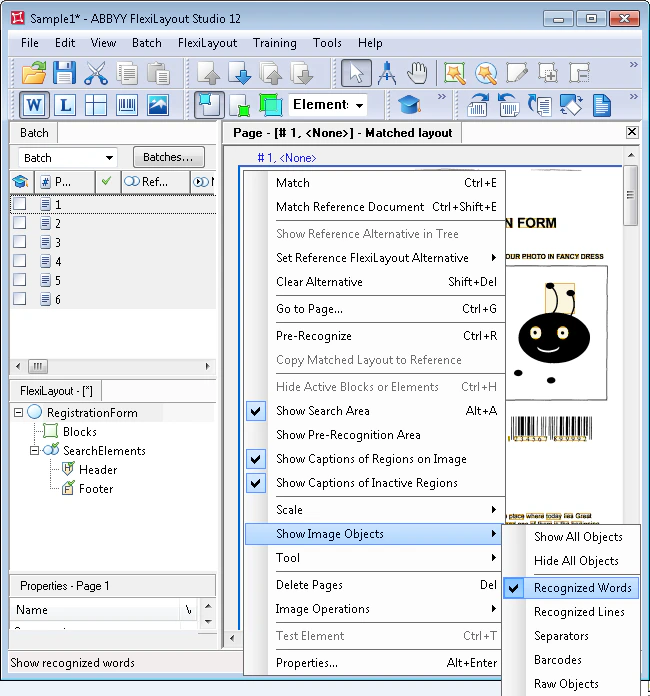
By default, the pre-recognition results do not appear on the image.
Display them in one of the following ways:
-
Select the Show Image Objects command in the Image window, and then select the type of image object you want to see.
-
Click the corresponding icon on the Extracted Objects toolbar.
You can also view all the objects by selecting the Show All Objects command.