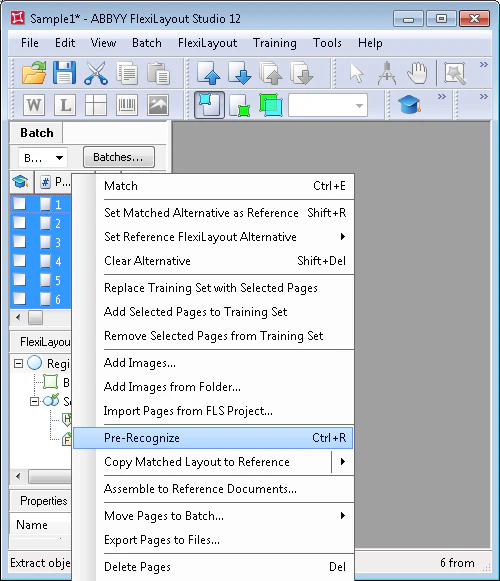
Before you start creating document elements, you need to know which objects on the document can be used as “signposts” when looking for fields (blocks). These are usually pictures and/or text fragments that are consistently detected during pre-recognition. To start pre-recognition:
  1. Select all the images in the batch.
  2. Select the Pre-Recognize command in the Batch menu or in the shortcut menu of each image.
Screenshot of the Batch menu in ABBYY FlexiLayout Studio with the Pre-Recognize command selected to start pre-recognition on the selected batch images.
If you change images in the batch or add new images, restart the pre-recognition procedure. If an image has not been pre-recognized, it will be pre-recognized when it is matched against the FlexiLayout.