
Export batches to ABBYY FineReader Server
1
Open the FineReader Server tab
Do one of the following: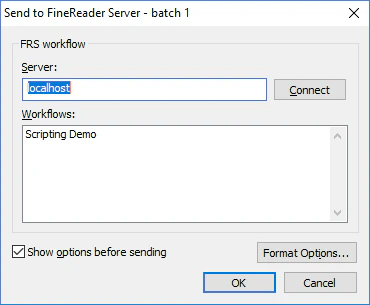
- Select File → Sending Options… and click the FineReader Server tab.
- Click the arrow next to the Send To button on the Main Window Toolbars and choose a Send to FineReader Server… export profile.
2
Connect to the Server Manager
In the Server field, specify the name or the IP address of the computer on which the Server Manager of ABBYY FineReader Server is installed, and click Connect.
3
Select a workflow
All the workflows available to the FineReader Server appear in the Workflows window. Select a workflow and click OK.