
Export batches with a script
1
Open the Send by Script options dialog box
Open the dialog box in one of the following ways: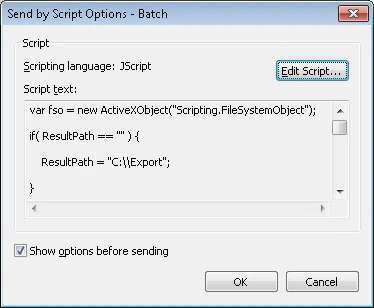
- Select File → Sending Options… and click the Script tab.
- Click the arrow next to the Send To button on the Main Window Toolbars and choose a Send by Script… export profile.
2
Open the Script Editor
Click Edit Script… to open the Script Editor window.
3
Select a scripting language
Select the scripting language: JScript®, VBScript, C#.Net, VisualBasic.Net, or JScript.Net.