
無人処理の設定
このスキーマを使用すると、オペレーターの介入なしでドキュメントを処理できます。 Schema ドロップダウンリストから Unattended を選択し、OK をクリックします。検証を伴う処理の設定
認識結果をエクスポート前に確認する必要がある場合は、このスキーマを使用します。1
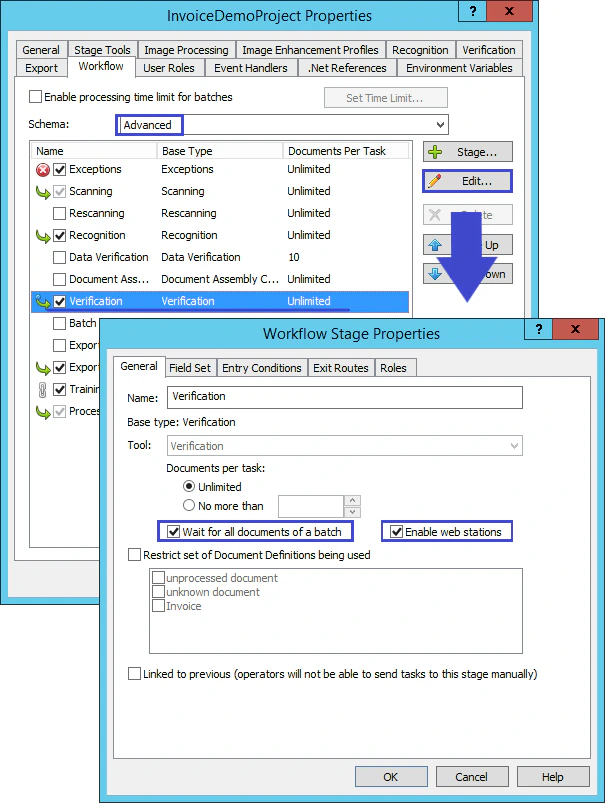
Advancedスキーマを選択
Schema ドロップダウンリストから Advanced を選択します。
2
Verificationステージを編集
Verification を選択し、Edit をクリックします。
3
ステージのプロパティを設定
Workflow Stage Properties ダイアログで、Wait for all documents of a batch と Enable web stations を選択します。