
On the FlexiCapture Server tab of the Options dialog box, you specify the FlexiCapture server that the Scanning Station uses. When you first launch the Scanning Station, you must specify this server.

Open the FlexiCapture Server tab

1

Open the Options dialog box

Click Tools → Options….
2

Select the FlexiCapture Server tab

Click the FlexiCapture Server tab to configure the connection parameters.

FlexiCapture Server connection options

The following connection options are available:
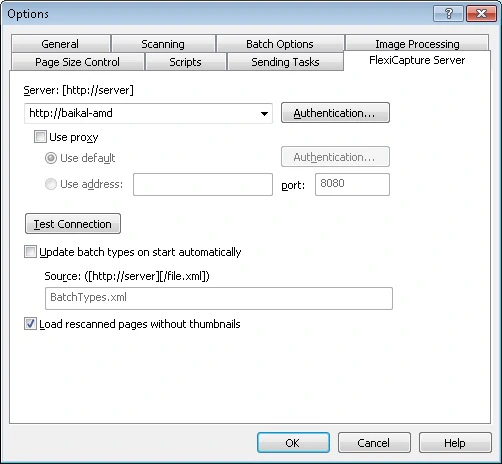
Screenshot of the FlexiCapture Server tab of the Options dialog box in the ABBYY FlexiCapture Scanning Station.