
On the General tab of the Options dialog box, you can specify general processing options.

Open the General tab

1

Open the Options dialog box

Select Tools → Options….
2

Open the General tab

Click the General tab.

General processing options
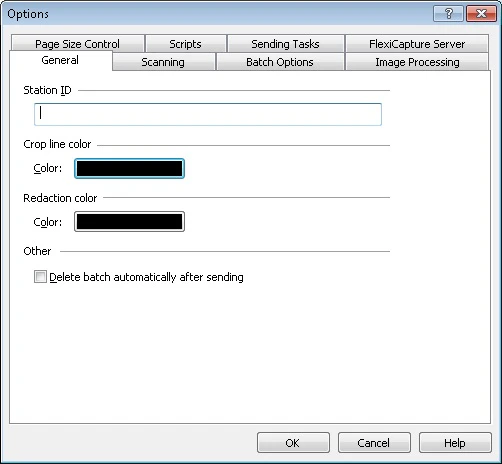
Screenshot of the General tab of the Options dialog box in the ABBYY FlexiCapture Scanning Station.
OptionDescription
Station IDStation identifier.
Crop line colorSelect this option to specify the crop line color. To choose a color, click the color button.
Redaction colorSelect this option to specify the fill color used for image redaction (Page → Redact). To choose a color, click the color button.
Delete batches automatically after exportSelect this option to delete batches automatically once export completes.