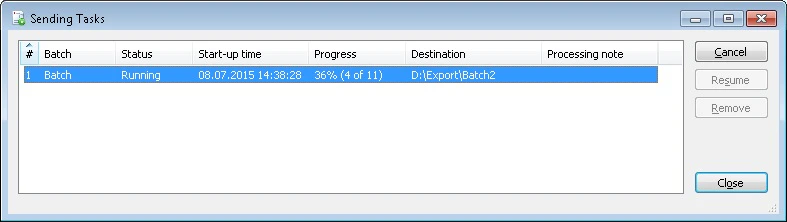
The Sending Tasks dialog box allows you to view the properties of sending tasks. If a sending task was interrupted, you can either resume processing the task or remove it by clicking the Resume or Remove buttons respectively. You can also cancel the task being executed. For this, click the Cancel button. You can open the Sending Tasks dialog box by clicking the icon in the taskbar.
PropertyDescription
Number #The number of the task
BatchThe batch name
StatusThe task status
Start-up timeThe time when the task started
ProgressThe task progress
DestinationThe task destination
Processing noteThe note to the task execution