
%ProgramData%\ABBYY\FlexiCapture\12.0\FlexiBr[Svc]\Logs.
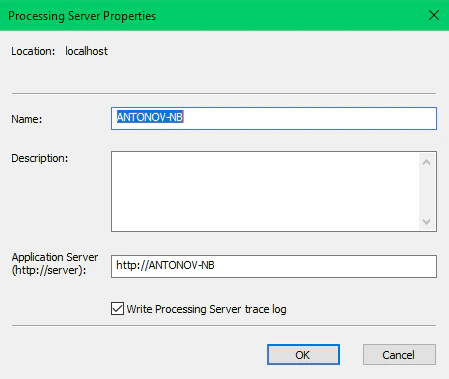
Enable Processing Server logging
- Launch the Processing Server Monitor.
- Click Processing Server Properties on the shortcut menu and select the Write Processing Server trace log option.
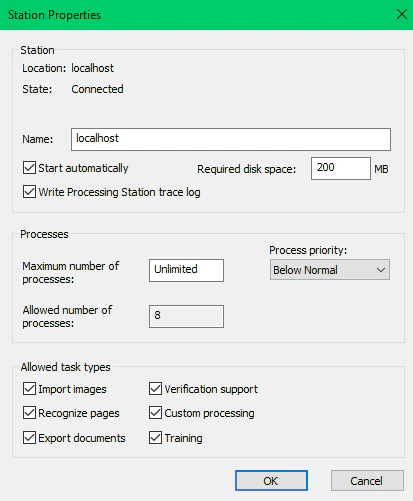
Enable Processing Station logging
- Launch the Processing Server Monitor.
- Click Station Properties on the shortcut menu and select the Write Processing Station trace log option.
Set up logging using the registry
You can adjust Processing Server and Processing Station logging through the following registry key:HKEY_LOCAL_MACHINE\SOFTWARE\ABBYY\FlexiCapture\12.0\FlexiBr.
You can modify the following parameters:
LoggingManagerMaxLogFileSize— maximum allowed size of one log file in bytes (1 MB by default).LoggingManagerMaxOldLogsFilesCount— maximum allowed number of log files (10 by default).LoggingManagerMaxOldLogsFilesSize— maximum total size of all log files in bytes (10 MB by default).LoggingLevel— level of logging detail from 1 (minimum detail) to 9 (maximum detail).LoggingLevelis set to 5 by default.LoggingFilter— the types of events that will be logged.
Sample filter string:+Licensing;+AppState;-*;+Monitoring. This filter enables the Licensing and AppState logs. The Monitoring log is disabled by the-*mask.