- When creating a batch type with the Batch Type Wizard.
- By adjusting them after the batch type has been created.
Set image export options
1
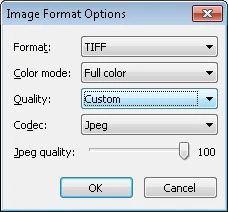
Open the Image Format Options dialog box
In the Batch Type Properties dialog box, click the Send To tab, select Use these sending options, and click the Format Options… button under Export Options.
2
Specify the output format
Specify the output format and how multi-page documents should be saved.