
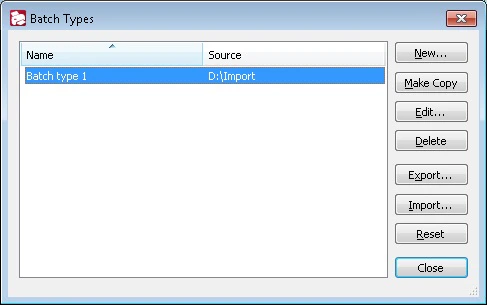
Manage batch types
The list displays the names of the batch types and the scanner source used by them. Use the buttons to the right of the list to manage the batch types.Export batch types
1
Open the Export Batch Types dialog box
Click Export… to open the Export Batch Types dialog box.
2
Choose what to export
Select Export all batch types or Export selected batch types.
3
Optionally protect the batch types
To prohibit changes, select Prohibit editing batch types and enter a password. Whenever these batch types are imported or edited, the program asks for a valid password.
4
Choose a storage location
Click OK, and in the Select Batch Types Storage dialog box, select a folder to store the XML file with the batch type descriptions.
Import batch types
1
Open the Select Batch Types Storage dialog box
Click Import… to open the Select Batch Types Storage dialog box.
2
Provide the XML file path
Provide the path to the XML file that contains the batch type descriptions.
When transferring a batch type that contains external .Net assemblies, include not only the XML file with the batch type descriptions but also the
.spr folder, which holds the external assembly files (*.asr). When you load a batch type from the server, the .spr folder is imported automatically.