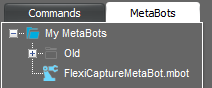
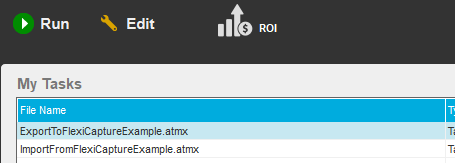
ABBYY FlexiCapture Connector for Automation Anywhere is distributed as a self-extracting RAR archive that includes a MetaBot file and sample tasks. To install the FlexiCapture MetaBot, copy the FlexiCaptureMetaBot.mbot file into this folder: %Userprofile%\Documents\Automation Anywhere Files\Automation Anywhere\My MetaBots. The FlexiCapture MetaBot will appear in the list of available MetaBots in the Task Editor: To install the sample tasks, copy the ExportToFlexiCaptureExample.atmx and ImportFromFlexiCaptureExample.atmx files into this folder: %Userprofile%\Documents\Automation Anywhere Files\Automation Anywhere\My Tasks. The task will appear in the My Tasks list in the main window of the Automation Anywhere Enterprise Client:
If, when installing the Automation Anywhere Client, you chose to place the runtime files folder in the Program Data folder, be sure to replace %Userprofile%\Documents with %ProgramData% in all the paths in this guide.