Install the Job Creator component
You can install the Job Creator component on any computer.
1
Create the destination folder
Create the following folder on the computer:
2
Copy the component files
Copy the contents of the Job Creator folder from the installation package into that folder.
Install the Export Connector component
1
Go to the ExportConnectors folder
On a computer that has NX Manager installed, go to:
2
Copy the component files
Copy the contents of the Export Connector folder from the installation package into that folder.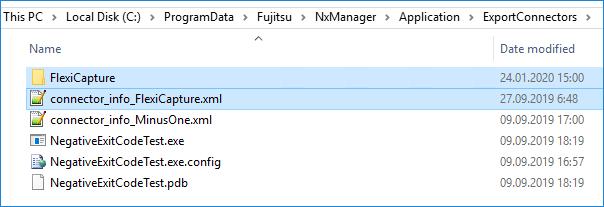
Verify the installation
1
Open the Job section
Open the PaperStream NX Manager web application and go to the Job section at
http://localhost:10447/NmConsole/JobList/JobList.2
Check the save destination type
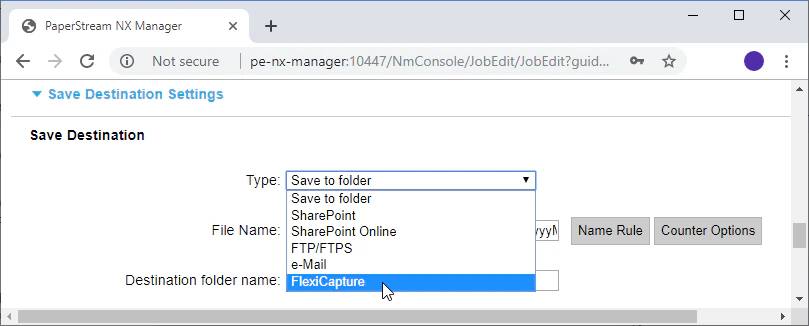
Click Create a new job. In the Save Destination Settings section, confirm that the Type drop-down list offers a FlexiCapture option.