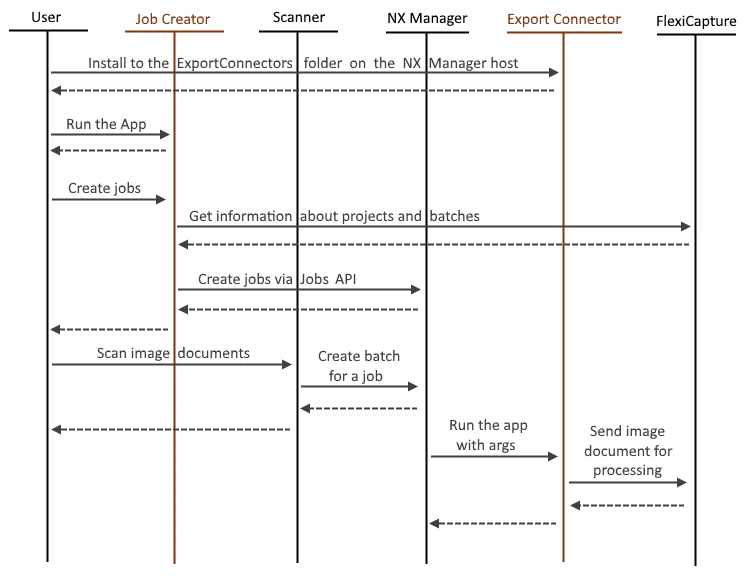
How documents reach ABBYY FlexiCapture
1
Create the jobs
Launch the Job Creator application and create jobs in NX Manager.
2
Scan the documents
At the scanner, select the job that exports documents to ABBYY FlexiCapture, and then scan the documents.
3
Send the images to NX Manager
The scanner sends the images to NX Manager.
4
Call the Export Connector
NX Manager calls the Export Connector application, passing it the ABBYY FlexiCapture connection settings and the scanned images.
5
Send the images to ABBYY FlexiCapture
The Export Connector sends the images to ABBYY FlexiCapture.