
Prerequisites
- Windows administrator privileges
- WinActor Office Robot installed on the same machine, which is the only machine the connector can be installed on
Install the dynamic libraries
1
Unpack the distribution package
Run the
ABBYY_FlexiCapture_Connector_for_WinActor.exe file.2
Go to the Bin folder
Open the command prompt as administrator and change directory to the Bin folder that contains the dynamic libraries. Its default location is:
3
Register the library
Run the following command:On success, the command prompt shows 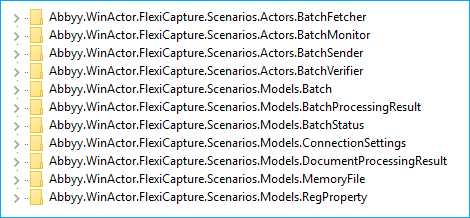
Types registered successfully. and the following keys are added to the HKEY_LOCAL_MACHINE\SOFTWARE\Classes registry key.Deploy the scenarios
1
Create a folder for the libraries
In the folder that contains the WinActor libraries, create a folder for the ABBYY FlexiCapture custom libraries and name it
ABBYY_FlexiCapture_12. The default location of the WinActor libraries folder is:2
Copy the UMS5 files
Copy the following files from the 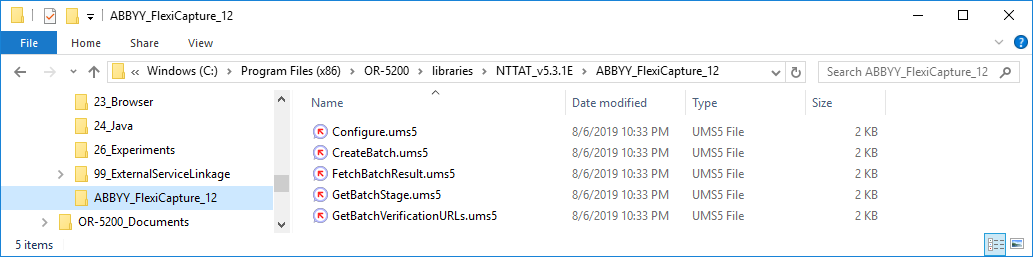
ABBYY_FlexiCapture_12 user libraries folder in the distribution package into the ABBYY_FlexiCapture_12 folder you just created:Configure.ums5CreateBatch.ums5FetchBatchResult.ums5GetBatchStage.ums5GetBatchVerificationURLs.ums5
3
Update the library tree
Open the Flowchart window, click the Library tab, and then click Update Library. The 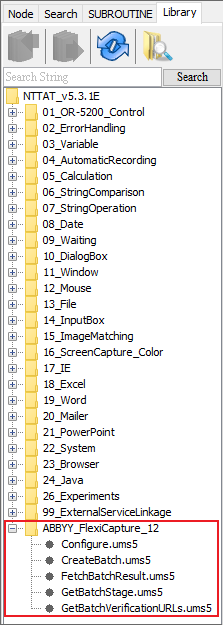
ABBYY_FlexiCapture_12 libraries now appear in the library tree.Uninstall the connector
1
Go to the Bin folder
Open the command prompt and change directory to the Bin folder that contains the dynamic libraries:
2
Unregister the library
Run the following command:On success, the command prompt shows
Types un-registered successfully.3
Delete the connector folder
Delete the
ABBYY FlexiCapture Connector for WinActor folder from the folder into which the connector distribution package was unpacked.4
Delete the libraries folder
Delete the
ABBYY_FlexiCapture_12 folder from the folder that contains the WinActor Office Robot libraries. Its default location is: