
The Export logic is used for sending files to FC for processing. Running this logic will either save the processing results and get the name of the matching Document Definition (in the unattended service scenario) or get a URL linking to the verification page (in the attended service scenario).
The Export logic uses the BatchOwner parameter to interact with the Import logic.
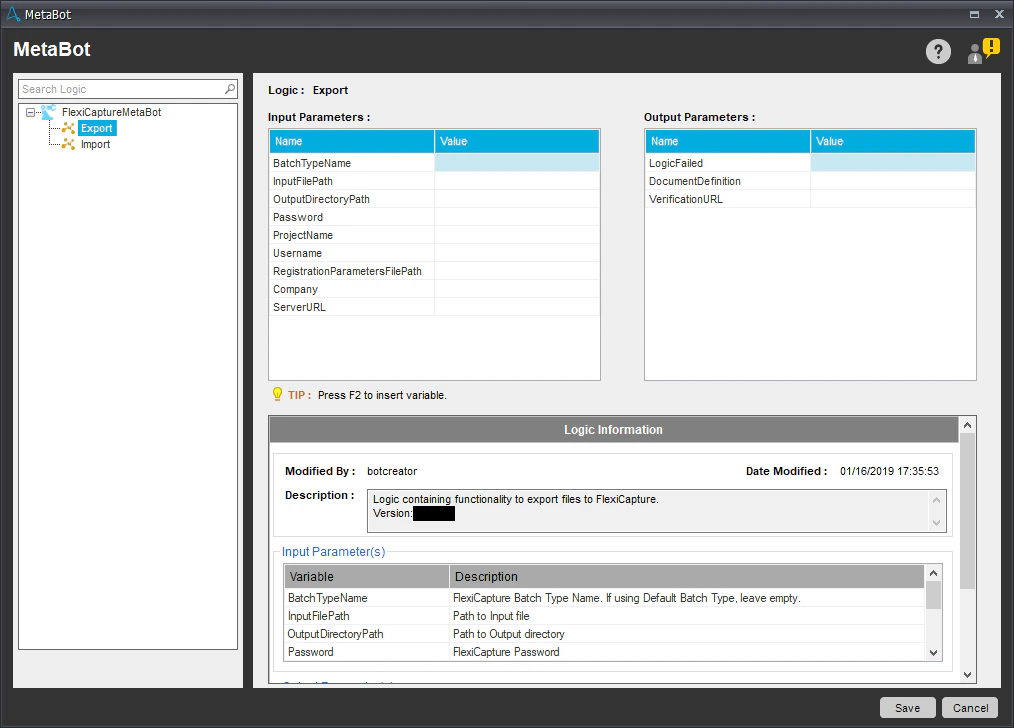
Input parameters:

Name

Description

BatchTypeName (optional)

The name of the batch type to be used when connecting to FC. To use the default batch type, specify an empty string.

Company (optional)

The name of the FC tenant to be used for processing. If no tenants are to be used, specify an empty string.

InputFilePath

The path to the file to be processed.

Note: The activity only works with files containing one document each (i.e. each document must be placed in a separate file).

OutputDirectoryPath

The path to the folder where processing results are to be stored.

Password

The password of the FC user.

ProjectName

The name of the FC project.

RegistrationParametersFilePath (optional)

The path to the CSV file that contains the batch registration parameters.

ServerURL

The address of the FC server.

Username

The name of the FC user.

Output parameters:
NameDescription
VerificationURLA URL linking to the verification page on the FC Web Verification Station. Contains an empty string if no verification is required.
LogicFailedTrue if an error occurred while the logic was running. False if the logic was executed successfully.
DocumentDefinitionThe name of the matching Document Definition.
You can find the log file for the Export logic here: %Userprofile%\Documents\Automation Anywhere Files\Log\My Tasks\Bot Store\FC-MetaBot\ExporterErrorLog.txt.