
The Import logic uses the BatchOwner parameter to interact with the Export logic.
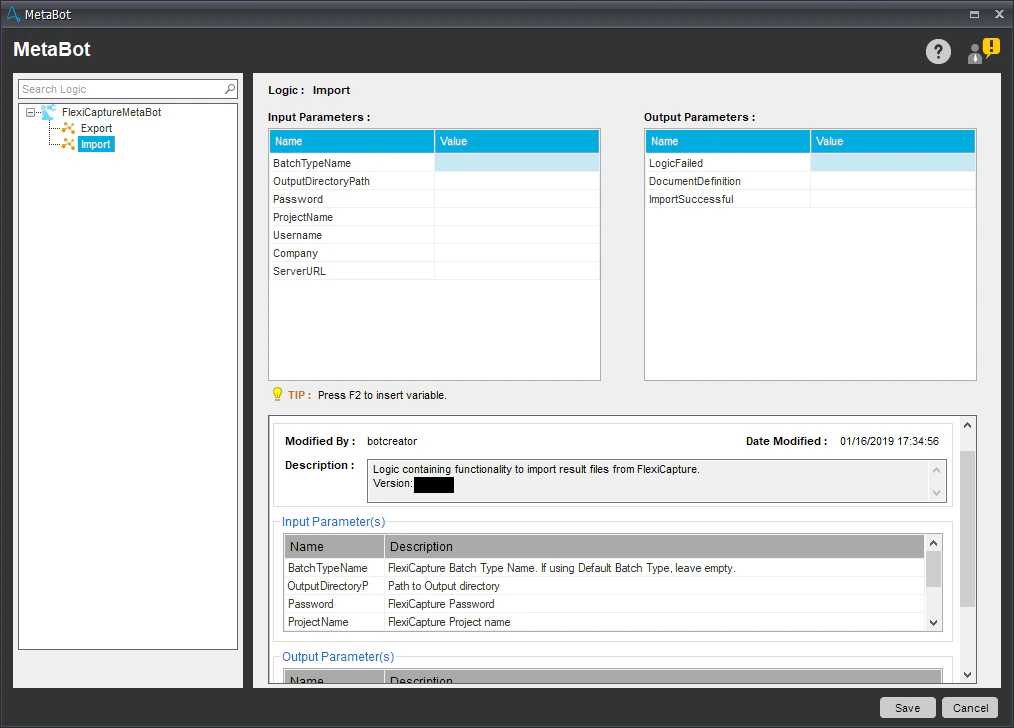
| Name | Description |
|---|---|
| BatchTypeName (optional) | The name of the batch type to be used when connecting to FC. To use the default batch type, specify an empty string. |
| Company (optional) | The name of the FC tenant to be used for processing. If no tenants are to be used, specify an empty string. |
| OutputDirectoryPath | The path to the folder where processing results are to be stored. |
| Password | The password of the FC user. |
| ProjectName | The name of the FC project. |
| ServerURL | The address of the FC server. |
| Username | The name of the FC user. |
| Name | Description |
|---|---|
| ImportSuccessful | True if a suitable batch has been found and the processing results have been successfully saved to OutputDirectoryPath. False if no suitable batch has been found. |
| LogicFailed | True if an error occurred while the logic was running. False if the logic was executed successfully. |
| DocumentDefinition | The name of the matching Document Definition. |
You can find the log file for the Import logic here: %Userprofile%\Documents\Automation Anywhere Files\Log\My Tasks\Bot Store\FC-MetaBot\ImporterErrorLog.txt.
