Configure unattended processing
Use this schema to process documents without operator involvement. Select Unattended from the Schema drop-down list, and then click OK.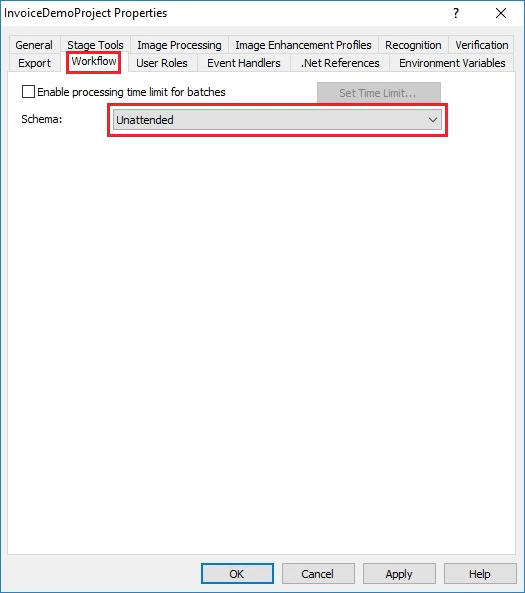
Configure processing with verification
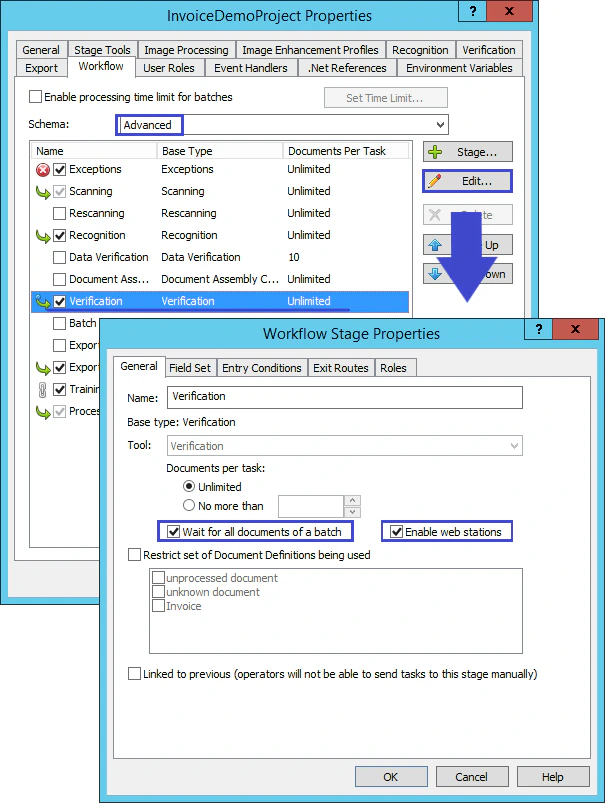
Use this schema when recognition results must be verified before export.1
Select the Advanced schema
Select Advanced from the Schema drop-down list.
2
Edit the Verification stage
Select Verification, and then click Edit.
3
Set the stage properties
In the Workflow Stage Properties dialog box, select Wait for all documents of a batch and Enable web stations, and then click OK.