
Create the grAddress element
1
Create the Group element
In the InvoiceHeader element, create a Group element and name it grAddress.
2
Set the location relations
Click the Relations tab. All the elements that search for the Delivery Address field can occur only below the kwDeliveryAddress name keywords and above the kwInvoiceNumber name keywords, so set these relations: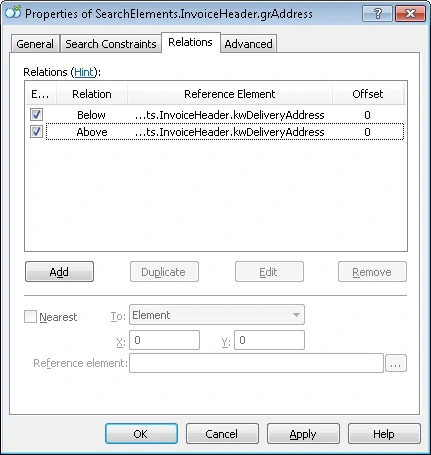
- Below the kwDeliveryAddress element, Offset = 0
- Above the kwInvoiceNumber element, Offset = 0
3
Add the search-area constraint
Click the Advanced tab. Since the Delivery Address field and the white gap bordering it are in the left two fifths of the page, set this additional search constraint in the Advanced pre-search relations field: look for the objects in the left two fifths of the page. In the FlexiLayout language: