
The main goal of FlexiLayout creation is reliable detection of these blocks, when they occur on an image:
  • Invoice Number
  • Invoice Date
  • Delivery Address
  • Total Quantity
  • Total Amount
  • Country
  • Invoice Table (only the columns Reference, Designation, Quantity, Unit Price, and Total)
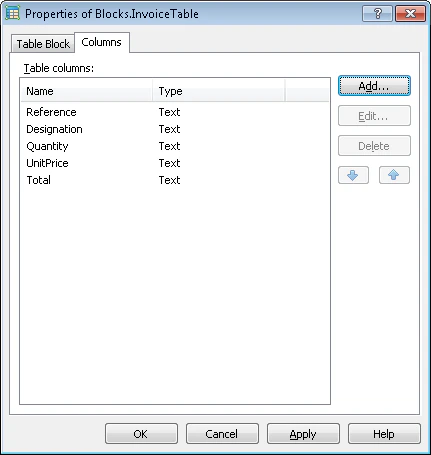
Create these blocks first, so their list is available during FlexiLayout creation. For the InvoiceTable block, open its Properties dialog box and click the Columns tab. Add the column names in the order used later in a FlexiCapture Document Definition: Reference, Designation, Quantity, UnitPrice, and Total. For more information, see Table block.
Screenshot of the six Text blocks and the InvoiceTable Table block created in the FlexiLayout Studio blocks list
At this stage, you specify only each block’s type and name, plus the column order for the Table block. You describe each block’s location later, after all the auxiliary elements are described and debugged.
Create the Table block before the Table element that looks for it, because the Table element must keep a reference to the Table block. This makes Table blocks different from Text, Barcode, Checkmark, and Picture blocks, which you can create later, after modifying the FlexiLayout and creating the elements for the other blocks (as in Sample 1 and Sample 2).
Now that the preparatory settings are done, you can start creating elements.