
Configure the unattended service
1
Open the Workflow tab
On the Project Setup Station, click Project → Project Properties, and then click the Workflow tab.
2
Select the Unattended schema
From the Schema drop-down list, select Unattended.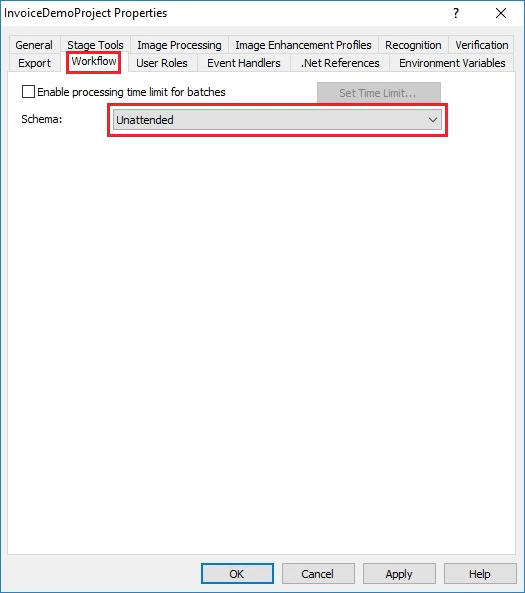
3
Clear the export root path
Make sure that the Export root path field on the General tab is left empty.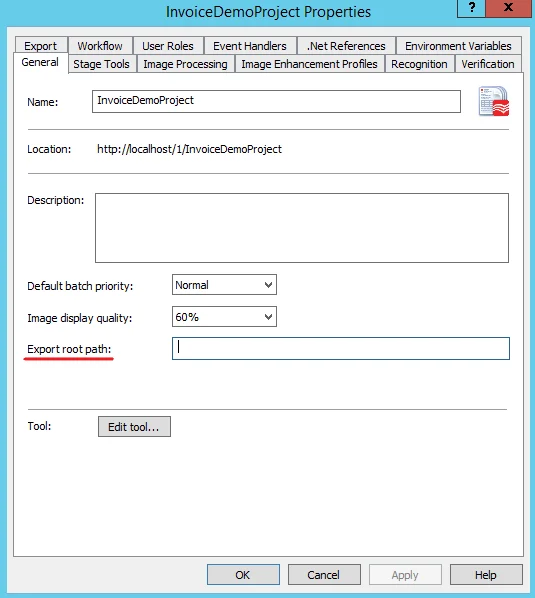
4
Save the changes
Click OK.