
Configure the metadata structure for the main document
1
Create a class for the main document
In the built-in Document object type, or in your custom object type, create a class for the main document, such as Invoice. This class represents the type of documents you work with.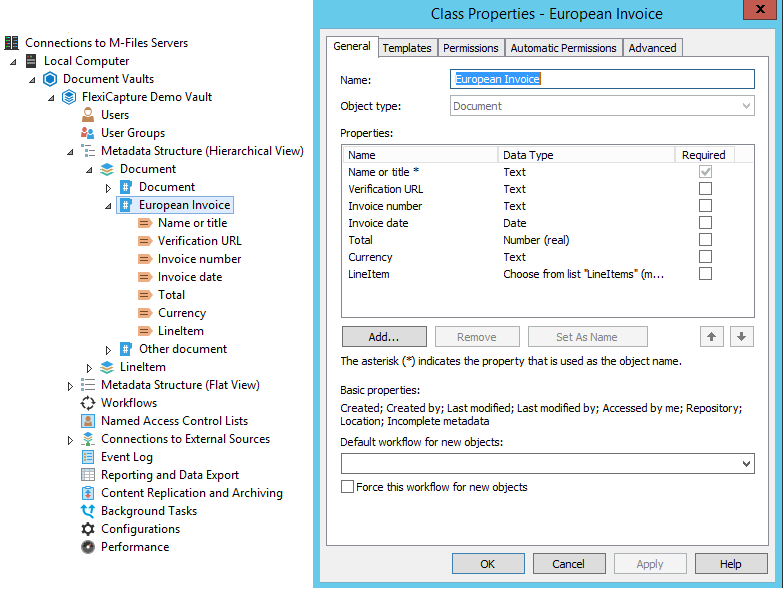
2
Add property definitions for the metadata fields
In the class properties, create and add the property definitions that represent your metadata fields. One of these fields must be a Set as name field, which is used to set the document’s name.
3
Allow searching by the name property
If you are not using the built-in Set as name property Name or title, select the Allow searching for objects by this property option on the General tab.
Configure the metadata structure for LineItems
1
Create an object type for one line
Create an object type that represents one line in LineItems. M-Files automatically creates a property definition with the same name, which lets you link objects of this type to the main document object.This class represents the LineItems data, so add a property definition to it for each table column in the ABBYY FlexiCapture Document Definition.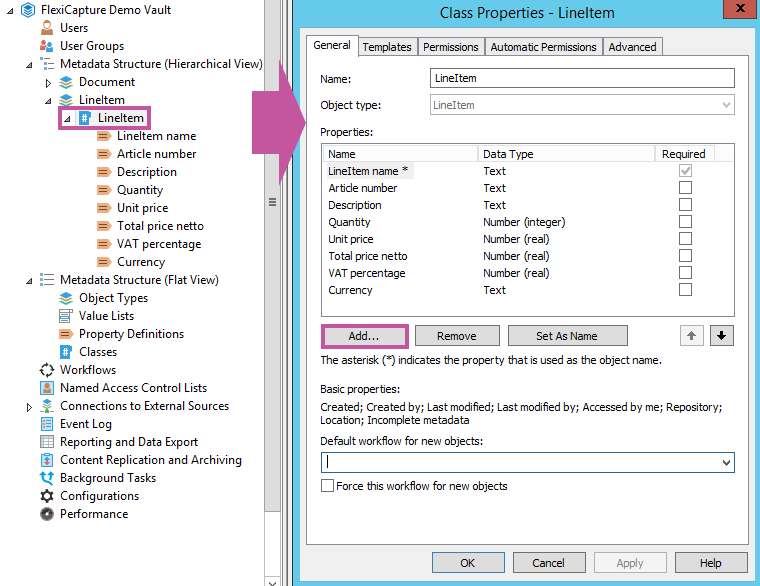
The object type you create for LineItems must have only one class.
- Select a property definition on the template that must always be filled in.
- Create a property definition with an automatic value and define it as the name of the objects. On the Automatic Values tab of the Property Definition dialog box, select Set As Name.
2
Link the main document to its line items
In the class you created for the main document, create a property definition of the Choose from list (multi-select) data type. This links one Invoice object to multiple Line Item objects, so it must show values from the list of LineItem object types.You can use the property definition that M-Files created automatically when you added the LineItem object type.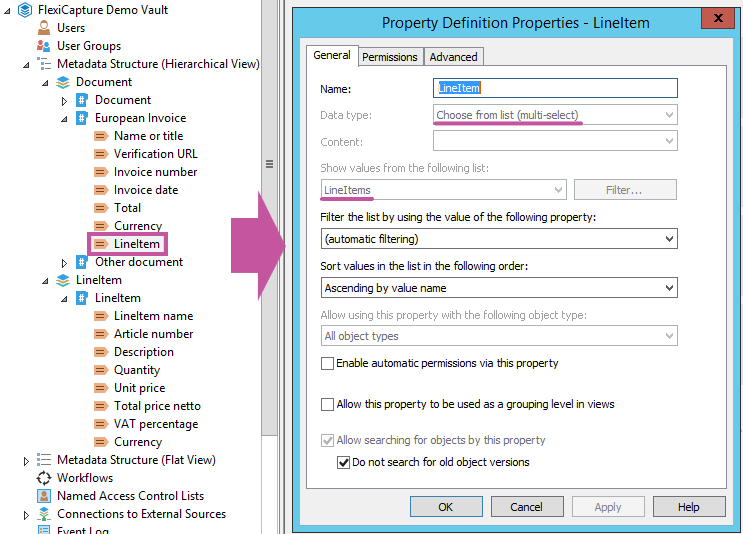
Map Line Items in the export settings
When you map Line Items in the script or in the XML file, specify the property definition for the LineItems name in the main document, followed by the property definition in the class created for Line Items.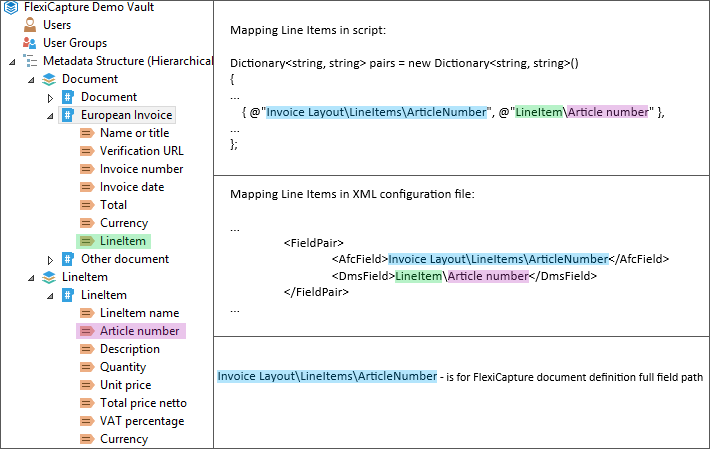
Invoice Layout\LineItems\ArticleNumber is the full field path in the ABBYY FlexiCapture Document Definition. LineItem\Article number names the property definition in the main document class, followed by the property definition in the LineItem class.