Create a data transform
1
Start a new data transform
In Dev Studio, click Records → Data Model → Data Transform → Create.
2
Name the data transform
Fill in the Label and Identifier fields.
3
Select the data model format
In the Additional configuration options section, select JSON.
4
Set the case context
In the Apply to field, replace 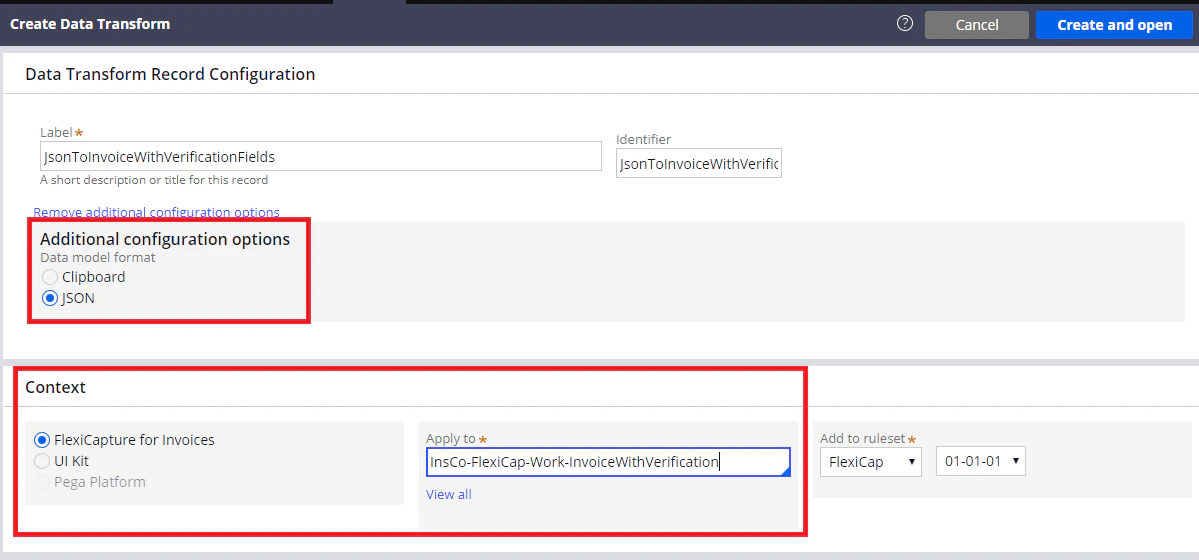
Rule-Obj-Activity with the full name of the case.5
Map the case fields
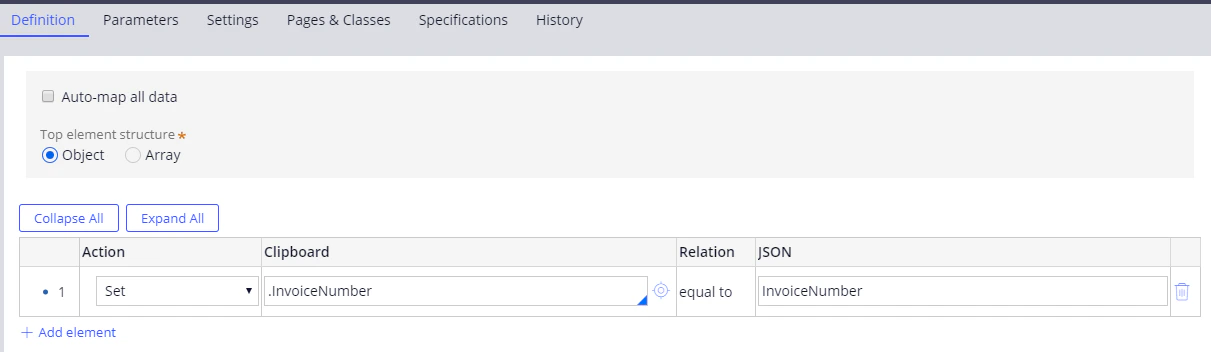
Click Create and open. In the dialog box that opens, click Definition and connect the case fields to the data that ABBYY FlexiCapture returns when document processing has finished.