
SendForProcessing activity creates a batch in ABBYY FlexiCapture, adds every case attachment to it, starts processing, and stores the batch identifier on the case.
For the general procedure, see Create a Pega activity.
Pages and classes
Parameters
Local variables
Activity steps
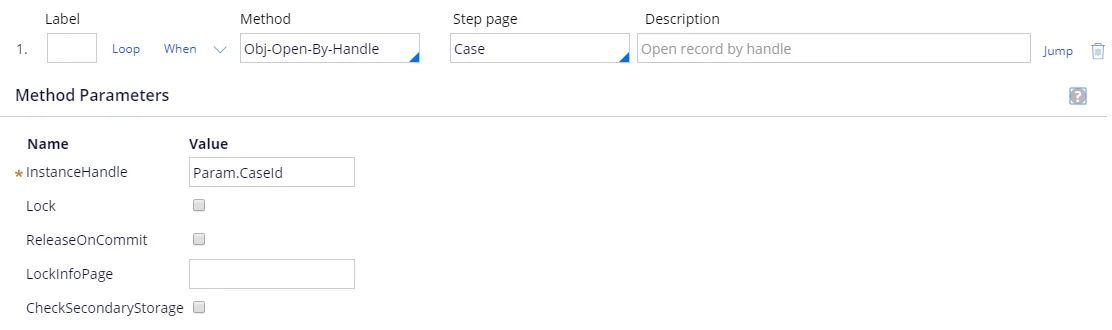
1
Open the case
2
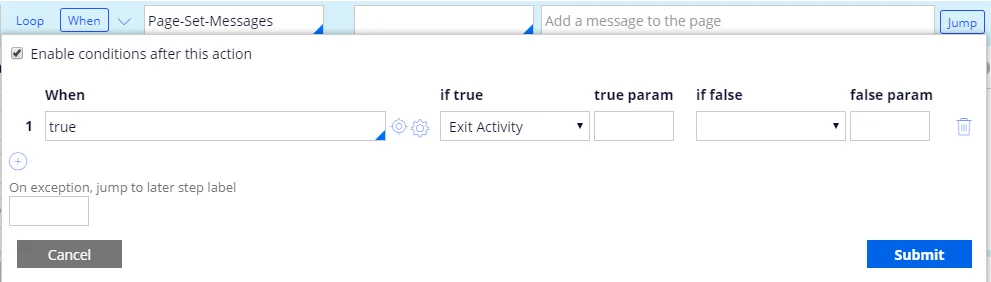
Check that the case has attachments
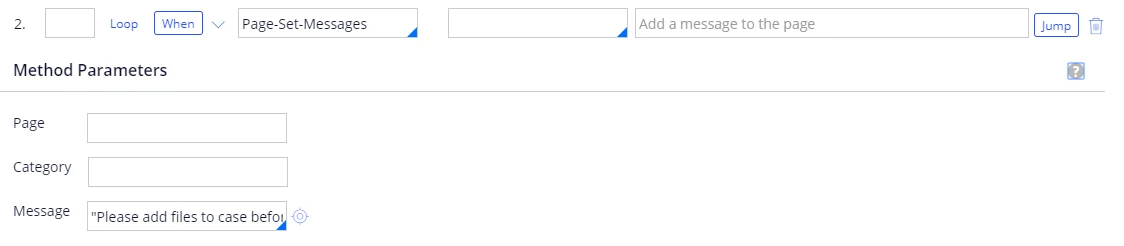
To build the
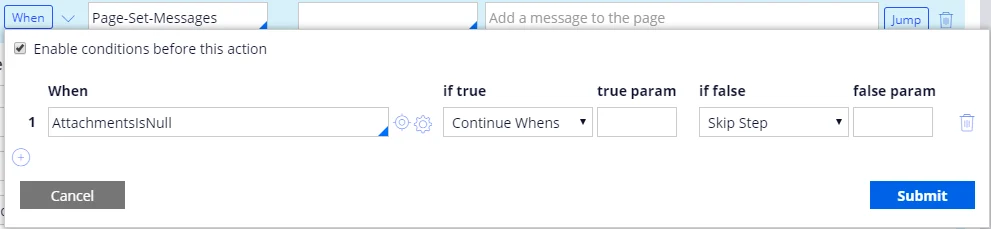
AttachmentsIsNull condition:- In the When field, specify
AttachmentsIsNulland click the configuration button. If the condition does not exist yet, a window opens in which you can create it. - Make sure that the full name of the case is specified in the Apply to field, and then click Create and open.
- On the Conditions tab, click Configure advanced conditions here and select the
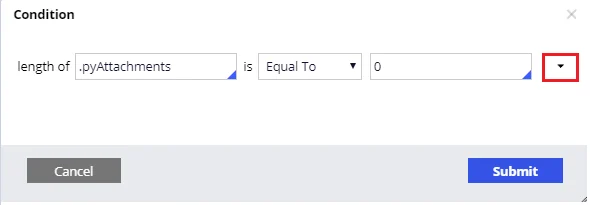
length of [a pagelist property] Is [comparison operator] [value]condition type. - Create the condition
length of .pyAttachments is Equal To 0.
3
Create the batch
Set Method to 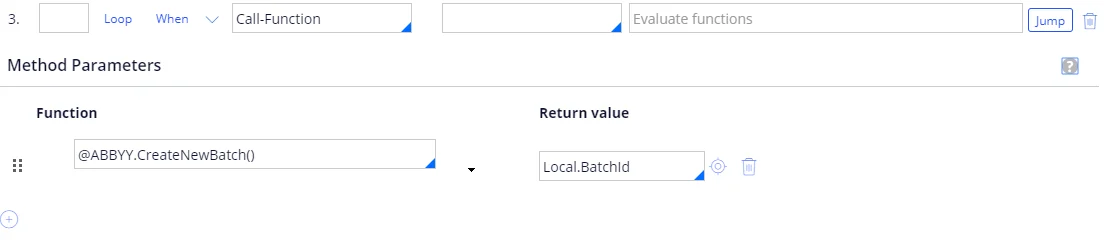
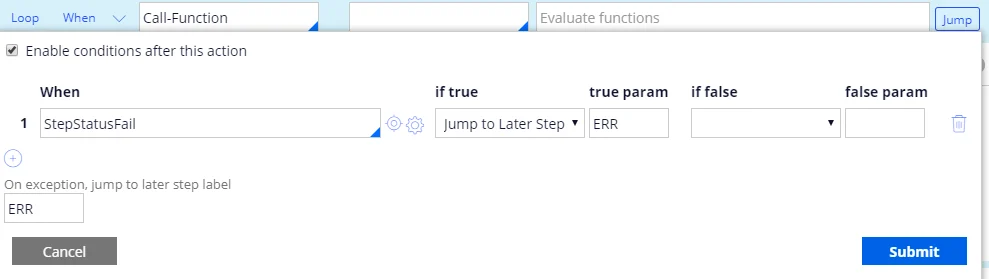
Call-Function and the function as follows:For more information, see CreateNewBatch.Add the following Jump condition, and set On exception, jump to later step label to
ERR:4
Loop over the case attachments
Set Method to 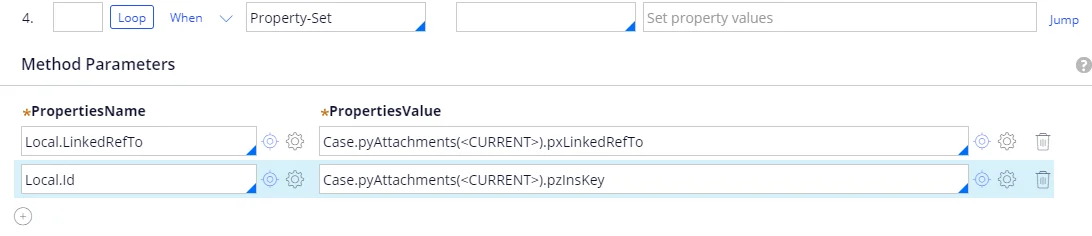
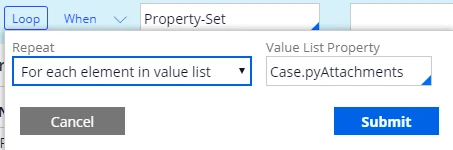
Property-Set and the properties as follows:-
Open the attachment
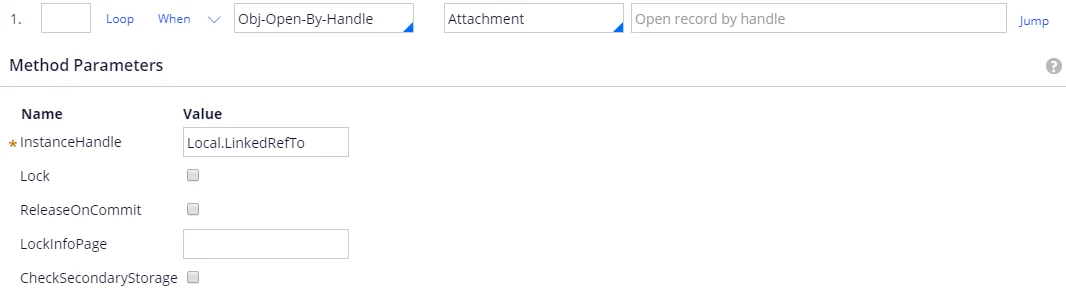
-
Open the attachment information
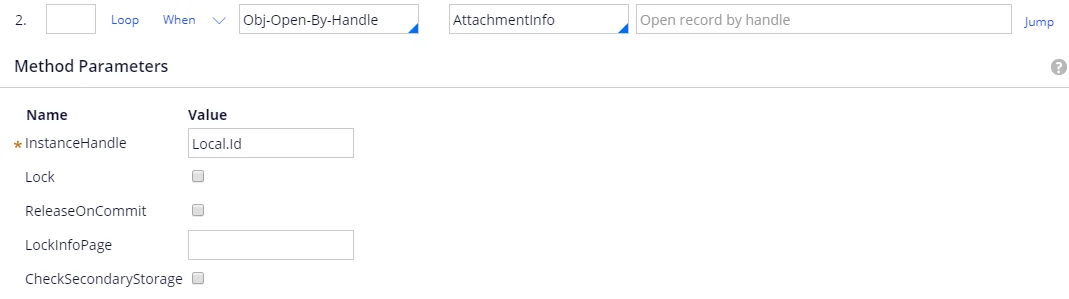
-
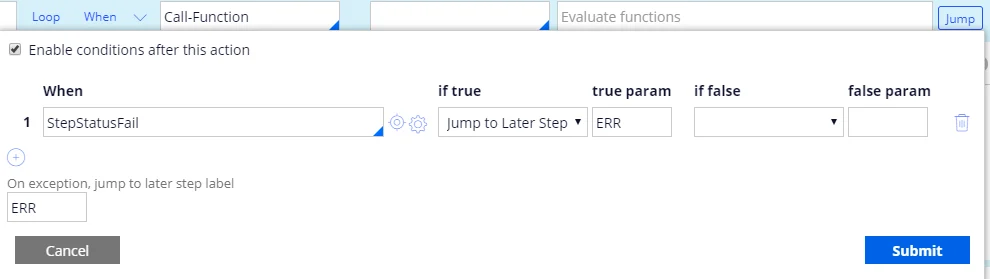
Add the document to the batch
Set Method to
Call-Functionand the function as follows:For more information, see AddDocumentToBatch. Add the following Jump condition, and set On exception, jump to later step label toERR:
5
Start batch processing
Set Method to 
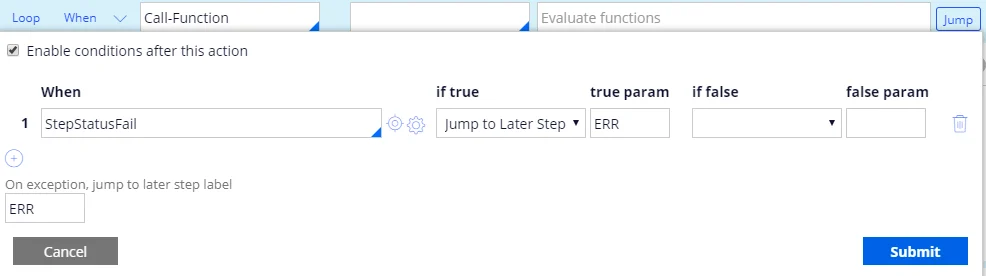
Call-Function and the function as follows:For more information, see RunBatchProcessing.Add the following Jump condition, and set On exception, jump to later step label to
ERR:6
Wait for the verification URL
Set Method to 
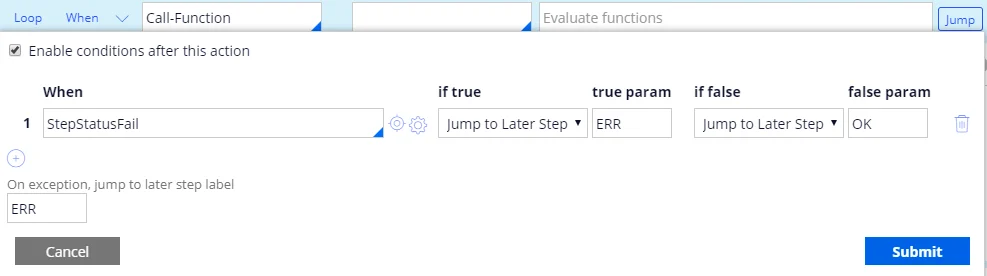
Call-Function and the function as follows:For more information, see WaitFirstVerificationOrProcessedForMultiFileInvoice.Add the following Jump condition, and set On exception, jump to later step label to
ERR:7
Post the error message
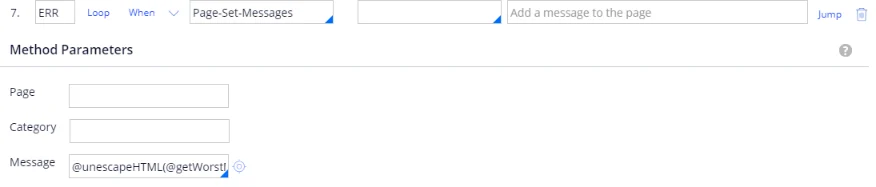
8
Store the batch identifier
Set Label to 
OK, set Method to Property-Set, and set the property as follows: