
Adapt the workflow for a single file
1
Swap the activities
Replace Find Entries with Find Entry, and remove For Each Entry.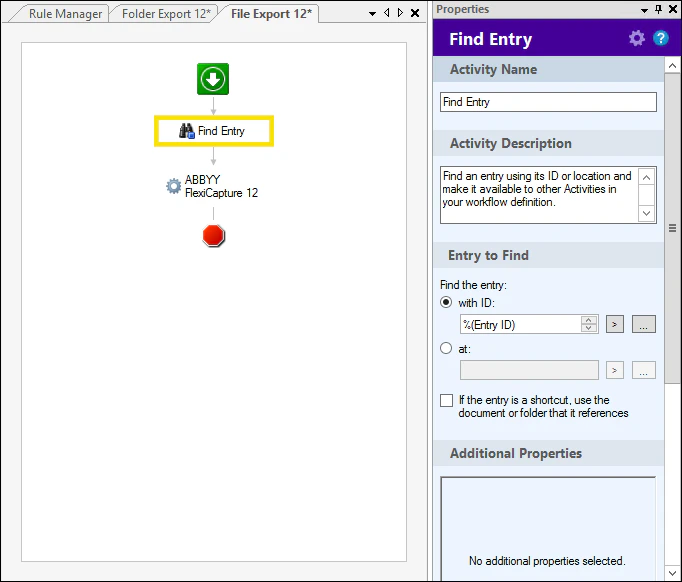
2
Publish the workflow
After the workflow is assembled, publish it.
Control who can start the business process
Users with read-write access rights can start business processes. To prevent a user from starting business processes from Laserfiche Client, give that user read-only access rights when you add them to the list of repository users on the Laserfiche Web Client Management page.