For more information about creating activities, see Creating a Pega activity.

Pages & Classes

Parameters

Steps

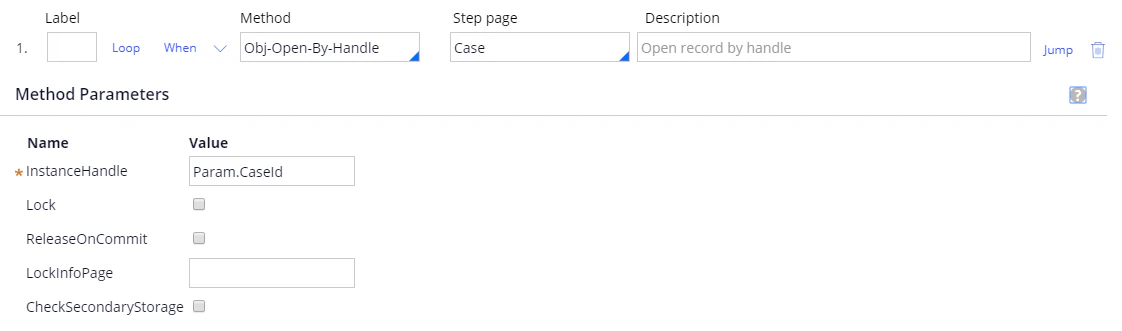
Step 1: Method: Obj-Open-By-Handle. Step page: Case. InstanceHandle: Param.CaseId.
Screenshot of the FetchingCapturedData activity in Pega, showing Step 1 with the Obj-Open-By-Handle method on the Case step page and InstanceHandle set to Param.CaseId.
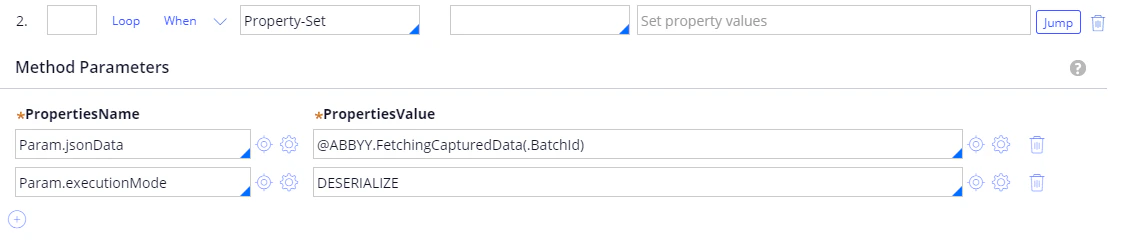
Step 2: Method: Property-Set. For more information, see FetchingCapturedData. Jump: On exception, jump to later step label: ERR.
Screenshot of the FetchingCapturedData activity in Pega, showing Step 2 with the Property-Set method setting Param.jsonData to @ABBYY.FetchingCapturedData(.BatchId) and Param.executionMode to DESERIALIZE.
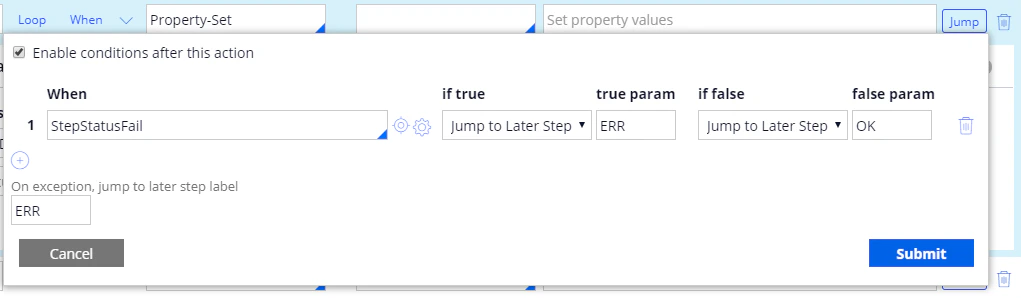
Screenshot of the Jump conditions dialog for Step 2 in Pega, showing the StepStatusFail condition jumping to label ERR if true and to label OK if false, with the on-exception label set to ERR.
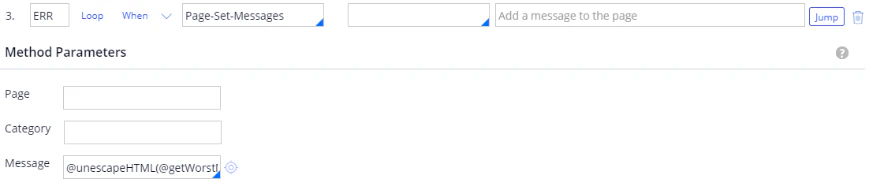
Step 3: Label: ERR. Method: Page-Set-Messages. Message: @unescapeHTML(@getWorstMessageName(tools)). Jump: For more information, see unescapeHTML.
Screenshot of the FetchingCapturedData activity in Pega, showing Step 3 labeled ERR with the Page-Set-Messages method and the Message parameter set to @unescapeHTML(@getWorstMessageName(tools)).
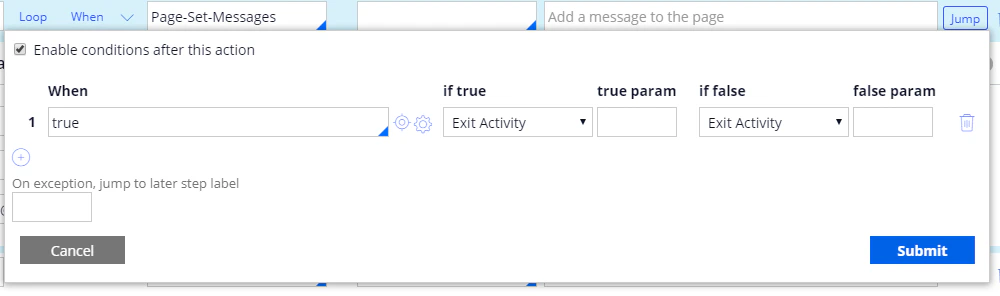
Screenshot of the Jump conditions dialog for Step 3 in Pega, showing a When condition of true set to Exit Activity.
Step 4: Label: OK. Method: Apply-DataTransform. DataTransform: JsonToInvoiceWithVerificationFields. PassParameterPage: true.
Screenshot of the FetchingCapturedData activity in Pega, showing Step 4 labeled OK with the Apply-DataTransform method, the DataTransform parameter set to JsonToInvoiceWithVerificationFields, and PassParameterPage selected.
For more information about creating data transforms, see Creating a data transform for a single-document processing case.