For more information about creating activities, see Creating a Pega activity.

Pages & Classes

Parameters

Local variables

Steps

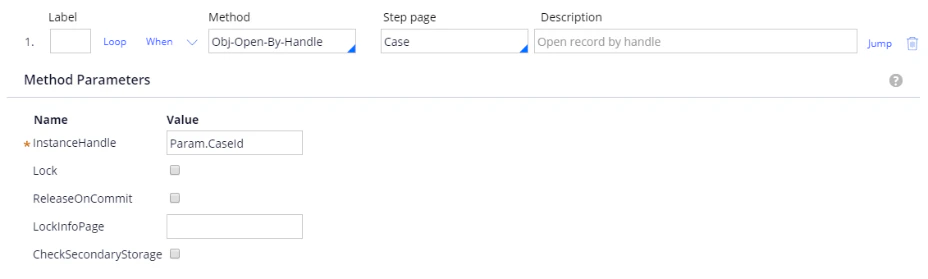
Step 1: Method: Obj-Open-By-Handle. Step page: Case. InstanceHandle: Param.CaseId.
Screenshot of step 1 in Pega configured with the Obj-Open-By-Handle method, the Case step page, and an InstanceHandle of Param.CaseId.
Step 2: Method: Property-Set.
Screenshot of step 2 in Pega configured with the Property-Set method, a PropertiesName of Local.Index, and a PropertiesValue of 0.
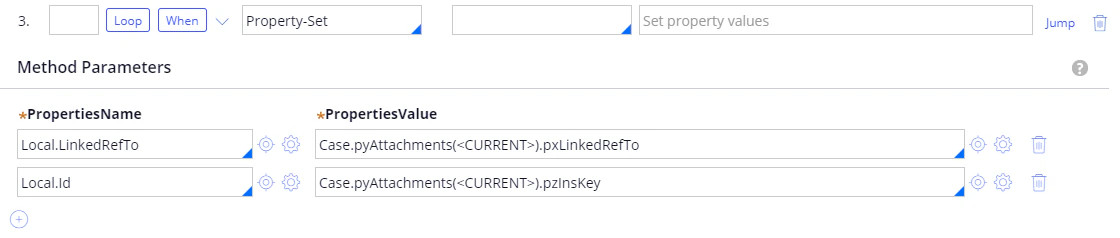
Step 3: Method: Property-Set. Loop: When:
Screenshot of step 3 in Pega using the Property-Set method, with Local.LinkedRefTo set to the pxLinkedRefTo of the current Case.pyAttachments element and Local.Id set to its pzInsKey.
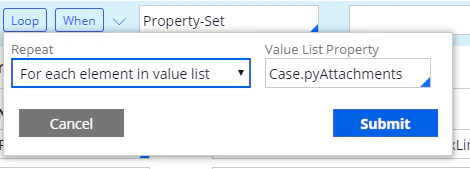
Screenshot of the Loop dialog in Pega for step 3, with Repeat set to For each element in value list and the Value List Property set to Case.pyAttachments.
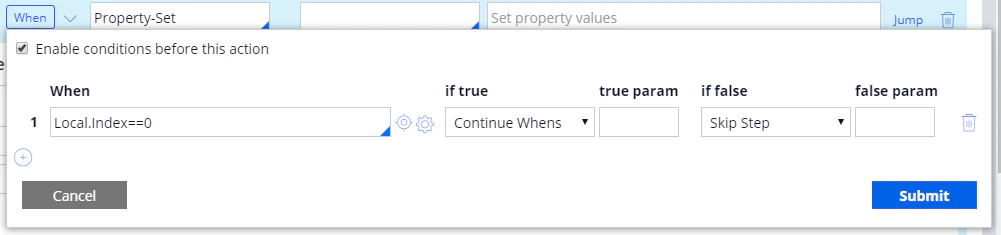
Screenshot of the When conditions dialog in Pega for step 3, with the condition Local.Index==0 set to Continue Whens if true and Skip Step if false.
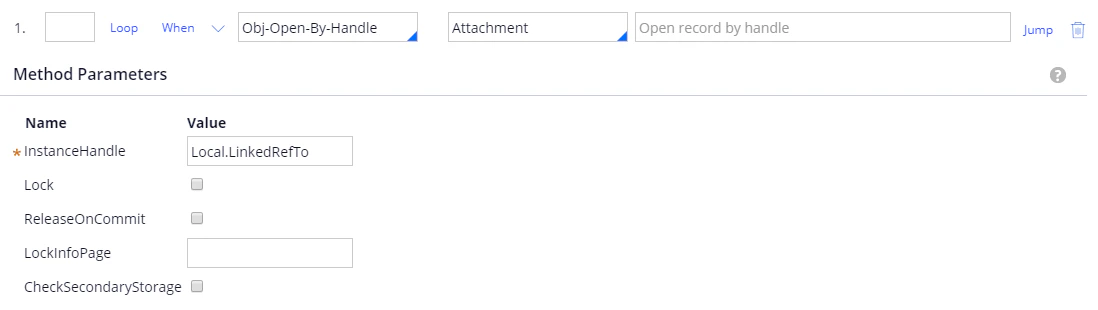
Substep 1: Method: Obj-Open-By-Handle. Step page: Attachment. InstanceHandle: Local.LinkedRefTo
Screenshot of substep 1 in Pega configured with the Obj-Open-By-Handle method, the Attachment step page, and an InstanceHandle of Local.LinkedRefTo.
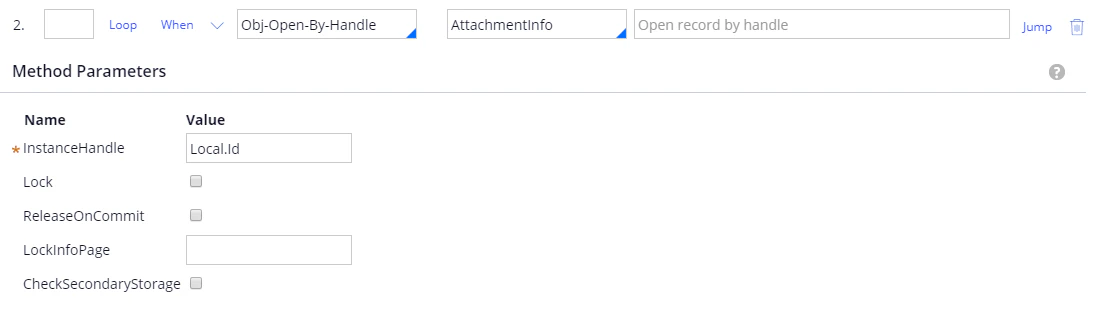
Substep 2: Method: Obj-Open-By-Handle. Step page: AttachmentInfo. InstanceHandle: Local.Id.
Screenshot of substep 2 in Pega configured with the Obj-Open-By-Handle method, the AttachmentInfo step page, and an InstanceHandle of Local.Id.
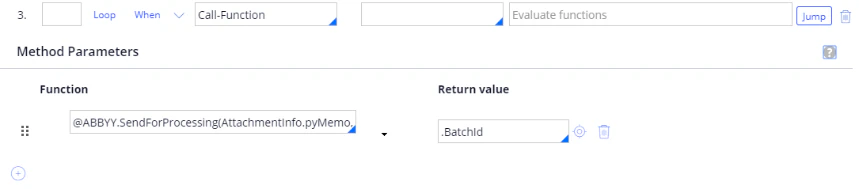
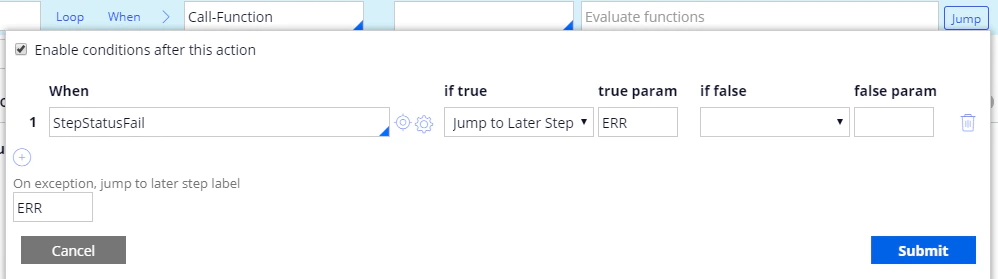
Substep 3: Method: Call-Function. For more information, see SendForProcessing. Jump: On exception, jump to later step label: ERR.
Screenshot of substep 3 in Pega using the Call-Function method, with the function @ABBYY.SendForProcessing(AttachmentInfo.pyMemo, Attachment.pyAttachStream) and a return value of .BatchId.
Screenshot of the Jump conditions for substep 3 in Pega, with a StepStatusFail condition that jumps to later step ERR if true and an on-exception label of ERR.
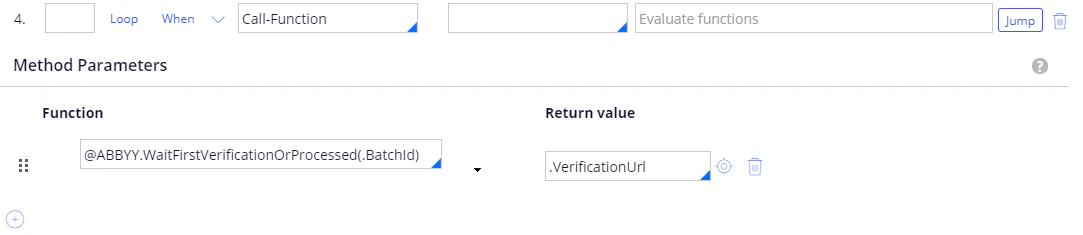
Substep 4: Method: Call-Function. For more information, see WaitFirstVerificationOrProcessed. Jump: On exception, jump to later step label: ERR
Screenshot of substep 4 in Pega using the Call-Function method, with the function @ABBYY.WaitFirstVerificationOrProcessed(.BatchId) and a return value of .VerificationUrl.
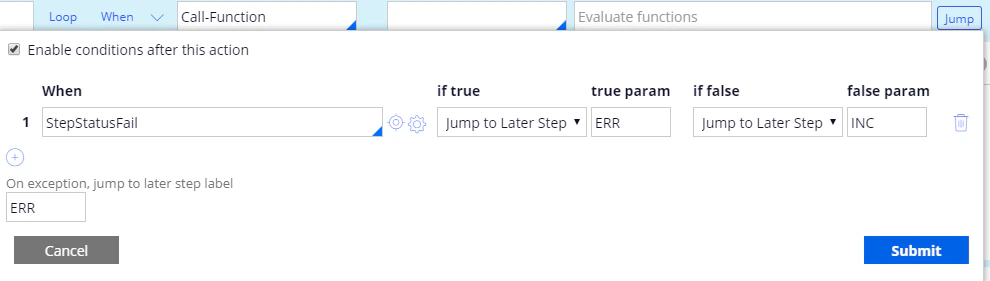
Screenshot of the Jump conditions for substep 4 in Pega, with a StepStatusFail condition that jumps to later step ERR if true and INC if false, and an on-exception label of ERR.
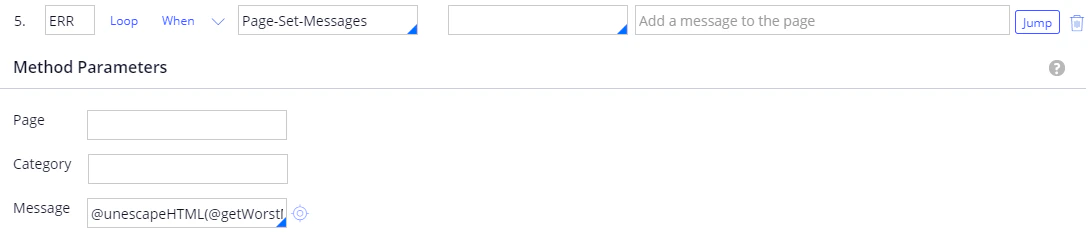
Substep 5: Label: ERR. Method: Page-Set-Messages. Message: @unescapeHTML(@getWorstMessageName(tools)). For more information, see unescapeHTML. Jump:
Screenshot of substep 5 in Pega labeled ERR, using the Page-Set-Messages method with the Message set to @unescapeHTML(@getWorstMessageName(tools)).
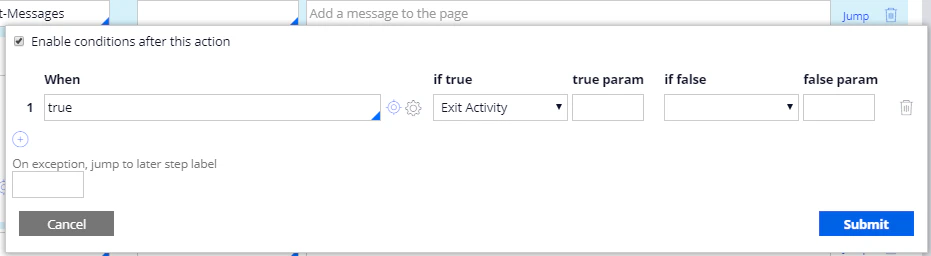
Screenshot of the Jump conditions for substep 5 in Pega, with a When value of true that exits the activity.
Substep 6: Label: INC. Method: Property-Set.
Screenshot of substep 6 in Pega labeled INC, using the Property-Set method with a PropertiesName of Local.Index and a PropertiesValue of Local.Index+ 1.