
Timeout variables
The Batch Monitor process uses threeTimeSpan-type variables to set timeout lengths.
Modify the timeout values
1
Open the process variables
Open the Batch Monitor process in UiPath Studio, navigate to the State Machine area, and expand the Variables pane.
2
Adjust the empty-queue timeout
Modify the value of EmptyQueueTimeoutDuration to decrease or increase the time between attempts to get a transaction when the queue is empty.
3
Adjust the postpone timeouts
If the Batch Monitor process cannot check the whole queue in time because of a large number of delayed transactions, increase the values of VerificationStagePostpone and OtherStagePostpone.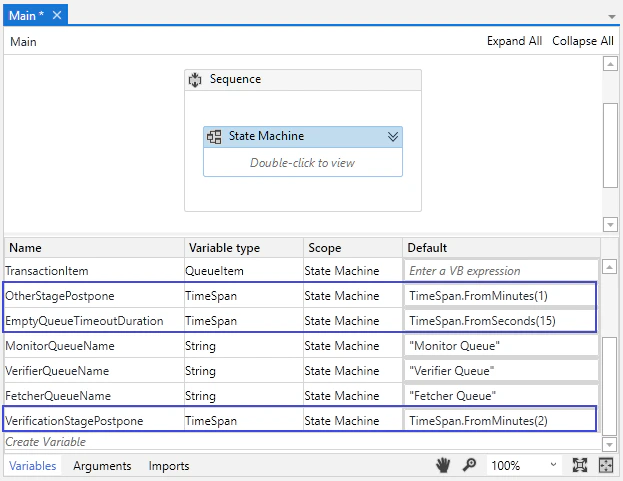
4
Republish the process
Publish the process to Orchestrator again.