Batch Sender
This process needs the name of the queue that the IDs of created batches are added to.1
Open the process variables
Open the process in UiPath Studio, expand the Variables tab, and navigate to the Flowchart area.
2
Set the queue name
Enter the new queue name in the Default column for the MonitorQueueName variable.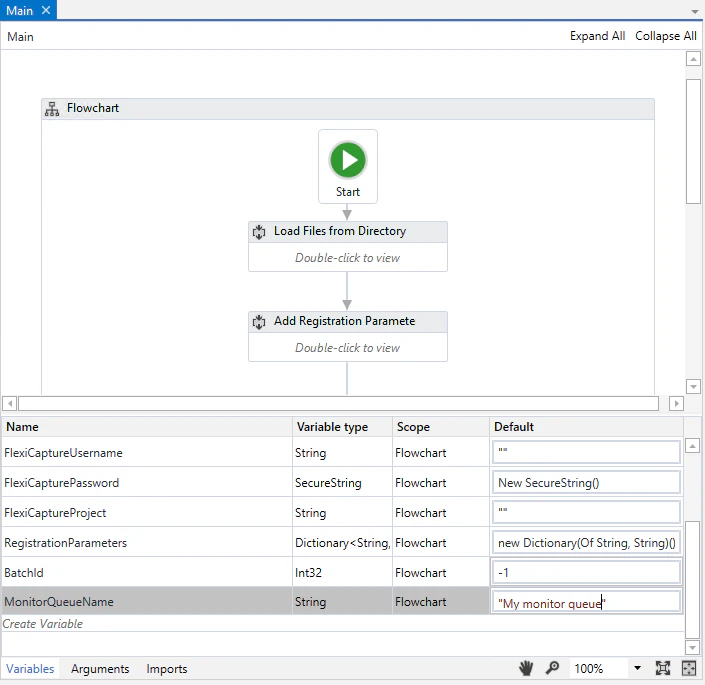
Batch Monitor
This process needs the names of all three queues.1
Open the process variables
Open the process in UiPath Studio, navigate to the State Machine area, and expand the Variables pane.
2
Set the queue names
Enter the new queue names in the Default column for the MonitorQueueName, VerifierQueueName, and FetcherQueueName variables.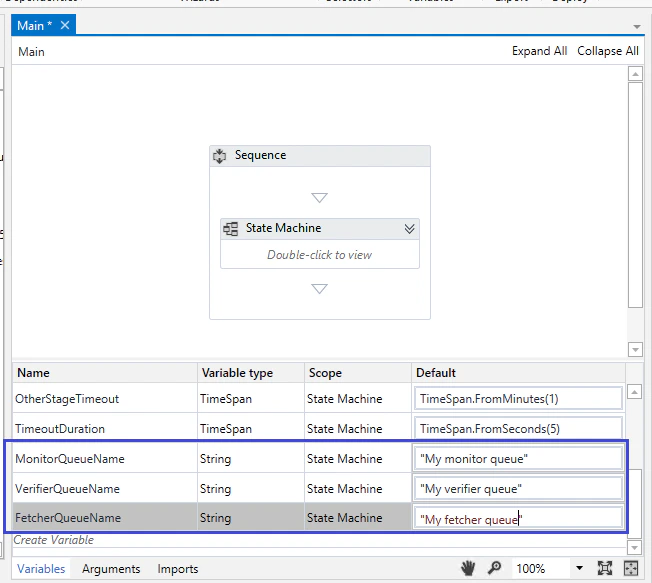
Batch Verifier
This process needs the name of the queue that stores the IDs of batches awaiting verification.1
Open the process variables
Open the process in UiPath Studio, navigate to the Flowchart area, and expand the Variables pane.
2
Set the queue name
Enter the new queue name in the Default column for the VerifierQueueName variable.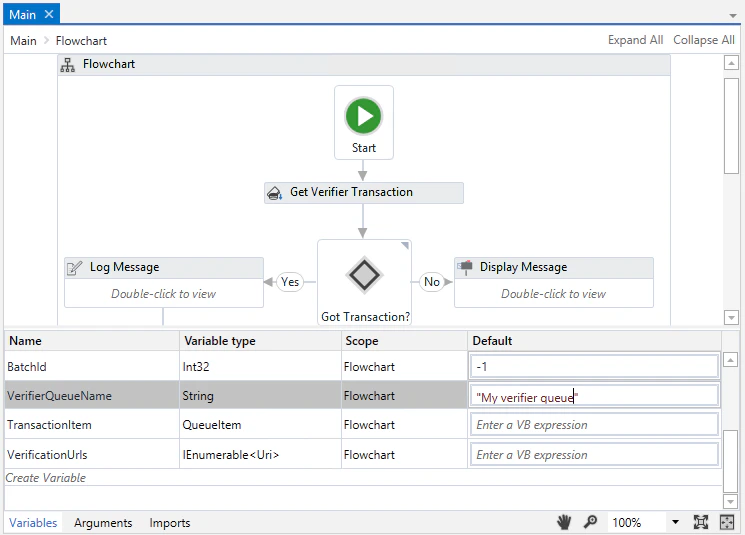
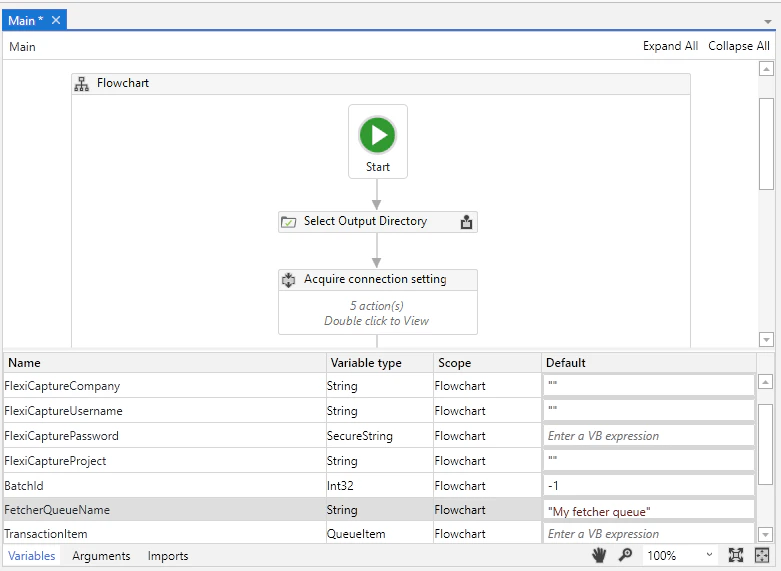
Batch Fetcher
This process needs the name of the queue that stores the IDs of successfully processed batches. It then starts downloading the batch processing results.1
Open the process variables
Open the process in UiPath Studio and expand the Variables pane.
2
Set the queue name
Enter the new queue name in the Default column for the FetcherQueueName variable.